
If the lender decides to donate the loan to your organization's permanent collection, you can click the Convert to Accession button under Actions on the Sidebar. This will move all of the information, including all catalog records, to the Accession file. After clicking the Convert to Accession button, you will be asked to enter an Accession# and then verify the donor's name for the Deed of Gift and Thank You Letter. The Accession screen will appear, where you may edit data if needed. When you exit the Accession screen, you will return to the Incoming Loan screen. The loan record will retain the loan's data and be marked with a blue Accessioned flag at the top of the screen.
To see only loan records that have been accessioned, click the View Accessioned Loans button in the Record View section of the Sidebar. An indicator will appear below the button telling you the number of Accessioned Records you are viewing. To view all Incoming Loan records, click the View All Loans button in the Sidebar.
NOTE: Please note that you cannot do a partial transfer to accession of selected catalog records from the loan. To accession selected catalog records, first return those records individually on the loan screen. Then create a new Accession record in the Accession catalog and enter the catalog records on the Accession screen.
When you enter new items through an Incoming Loan, PastPerfect places these items in the catalogs you specify on the Add Item to Catalog screen. You may view these items by going to the Objects, Photos, Archives or Library catalog.
Because adding items through the Incoming Loan screen creates a limited record, you may wish to complete the cataloging process as you would for other items.
TIP: If you need to edit the Incoming Loan number, you can do so by using the Change Loan# button under Activities on the Sidebar on the Incoming Loan screen. You will have the option to change the Loan# on all the related catalog records, or just on the Incoming Loan record. If you do not change it on the related catalog records, the link between them and the Incoming Loan record will be broken.
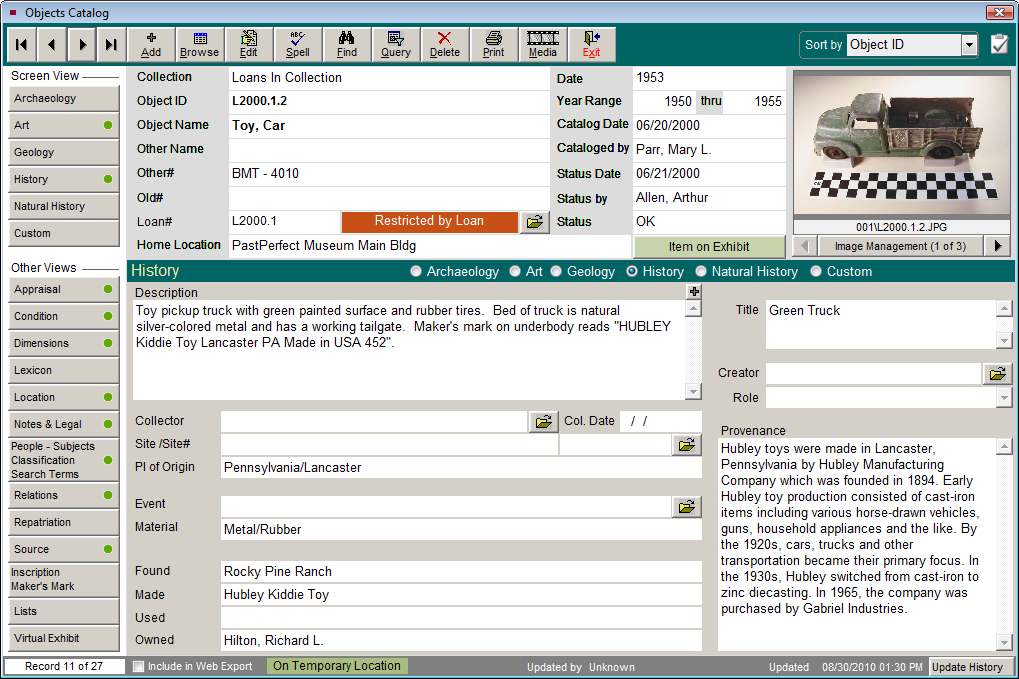
Catalog Record for a Loaned Item
The Incoming Loan screen allows you to track every aspect of the borrowing process, from temporary custody through the eventual disposition of the materials. Whether the item is part of an exhibit or is on long-term loan to your institution, meticulous record keeping is critical to the process. In the past, long-term loans were very common. However, it is not uncommon for the heirs of the original donor to approach an institution for the return of borrowed items long after the original transaction. Often, the museum staff has changed as well. This makes good record keeping extremely important.
It is good policy to review your active loans periodically. Loan expiration dates should be monitored so that loans are returned on time. Often times, loans expire and are not returned or processed promptly. If a loan is to be extended, the contract must be updated and the insurance coverage extended.