People Biographies
The People field appears in all four catalogs and is used to identify people who appear in photographs or are associated with objects, archival materials and publications. People Biographies enables you to record important information about these people, such as places of birth and death, parents, children, spouses, education, career, achievements, residences and relationships.
People Biographies may be accessed from the People authority file as you enter data in catalog records. Each name entered in the People field automatically has an entry in the People authority file thus creating People Biography records. These records may also be opened directly from the Main Menu's People & Sites section.
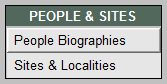
From the Main Menu's People & Sites section, click People Biographies.
People Biographies on the Main Menu
The Sidebar has Screen Views that enable you to view and complete biographical information, view catalog records, and use the custom, user defined fields.
The Biographical Info section includes the First Name, Last Name, Other Names, places of birth and death, birth and death dates, Mother, Father, Nationality, Role, Spouses and Children. These fields appear near the top of the screen when viewing the record from any screen view. With the optional MultiMedia Upgrade installed, you can attach a digital image to this record from Image Management.
People Biographies screen
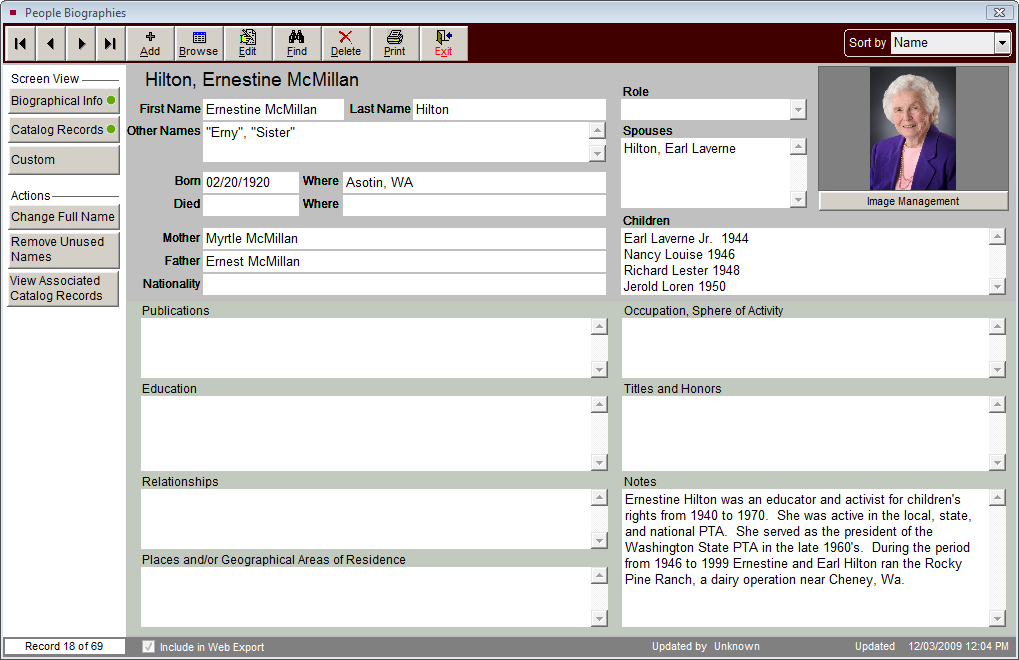
The Biographical Info screen view also contains fields to describe this person's publications, education, relationships, places or geographical areas of residence, occupation, sphere of activity, and titles and honors. Additional pertinent information about this person can be recorded in the Notes field. These fields are memo fields, which are unlimited in length.
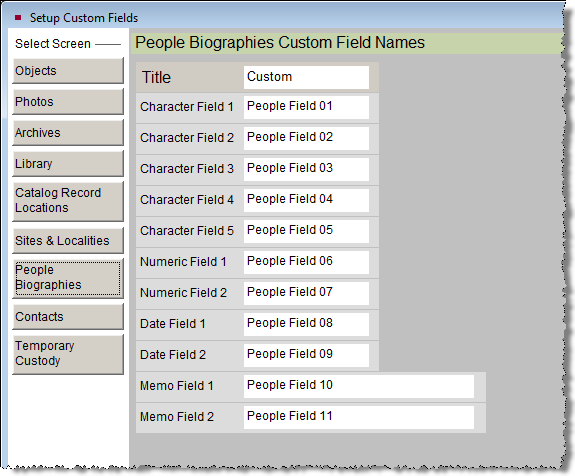
If you wish to record more information than the Biographical Info fields provide, there are eleven additional fields in the Custom screen. Click on the Custom button to access these user defined fields. Fields 1-5 are character fields, Fields 6 and 7 are numeric, Fields 8 and 9 are for dates, and Fields 10 and 11 are for unlimited text. You may rename the Custom button as well as all user defined fields. You can set up the People Biographies custom screen Title and Field Names by going to the Main Menu | Setup | Custom Fields section and selecting the People Biographies screen.
Setup Custom Fields People Biographies
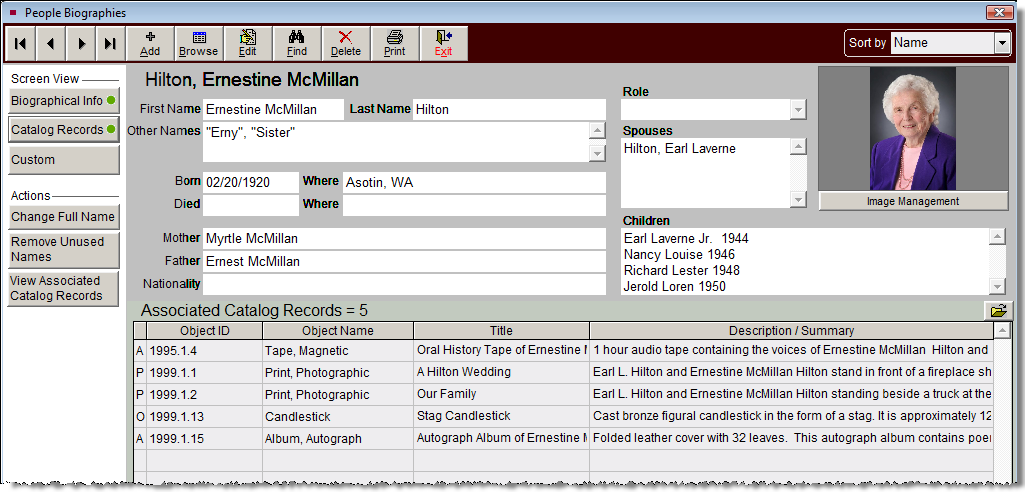
Clicking the Catalog Records button under Screen View provides a list of associated catalog records. The grid contains columns with the fields (from left to right): Catalog (Objects, Photos, Archives or Library), Object ID, Object Name, Title, and Description/Summary. If catalog records are linked to this People Biography record, a green data light will appear on this button, seen below.
In the Actions section, the View Associated Catalog Records button allows you to browse through full catalog records for the items associated with this People record. You can use the left and right arrows in the Navigation Bar to scroll through the catalog records. Using the other tools in the Navigation Bar, you can also edit, spell check, print reports, attach images, and link multimedia files to these associated records.
Catalog Records Screen View
The Actions section also has options to change the full name and remove names not associated with catalog records. By clicking Change Full Name, you edit the data in the Full Name field in People Biographies as well as the name in the associated catalog records' People field. The Full Name field appears in bold above the First Name and Last Name fields in People Biographies. Use Change Full Name when you want to edit names in the People authority file. This feature also has the option to automatically change the First Name and Last Name data based on the edited Full Name.
NOTE: When entering a name in the People field in catalog records, the name is automatically added to the People authority file. A People Biography record is also created with the name in the Full Name field. No other data is automatically entered in the People Biography record. If you have not entered data in the fields Last Name, First Name, and Other Names, you will not be able to find by these fields.
By clicking Remove Unused Names, you delete all People Biographies records that are not associated with catalog records and that have no additional biographical information. They will be marked for deletion in People Biographies, placed in the Recycle Bin, and permanently removed when you do a Reindex. If you need to recall records before Reindexing, you may do so by going to the Main Menu | Utilities | Recycle Bin | People Biographies.
Individual biography information may be printed using the Print button in the Navigation Bar. If you wish to print a list of People with Biographical Information or People not listed in catalog records, please go to the Main Menu | Reports | Authority Files and scroll down to People reports.