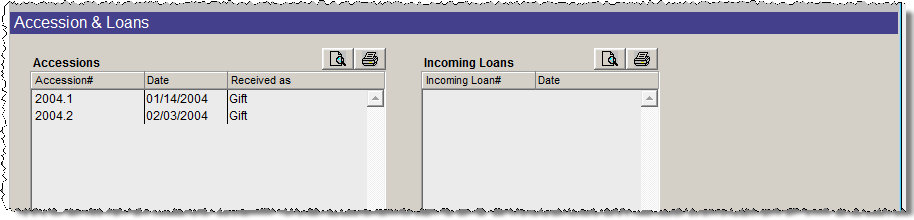
The Accessions section of this screen view displays any accessions donated by the contact. Contacts are linked to an accession when the accession record is added, or by entering the contact's ID# on the Accession screen in the Contact ID# field. To view a linked Accession record from the Contacts screen, double click on the accession in the listing.
Accessions & Loans Screen View
The Loans section of this screen displays any Incoming Loans given by the contact. The link between the contact and the loan is made when entering the incoming loan record, or by entering the contact's ID# in the Contact ID# field on the Incoming Loan screen. To view the Incoming Loan screen, double click on a loan.
If you have made any modifications to the contact's address, phone number, email and website, you can easily update this information in the Accession or Incoming Loan records by clicking Update Accession Addresses or Update Loan Addresses buttons under Actions in the Sidebar.
To preview the list of accessions or loans given by this contact, click the Preview Accession List or Preview Loan List buttons under Actions in the Sidebar, or click the preview icons above the Accessions or Incoming Loans Lists. To print these lists, click the Print Accession List or Print Loan List buttons on the Sidebar, or click the printer icons above the lists.