System Information
The System Information screen displays the program and data versions and activated features on the left side in PastPerfect Information.
System Information screen
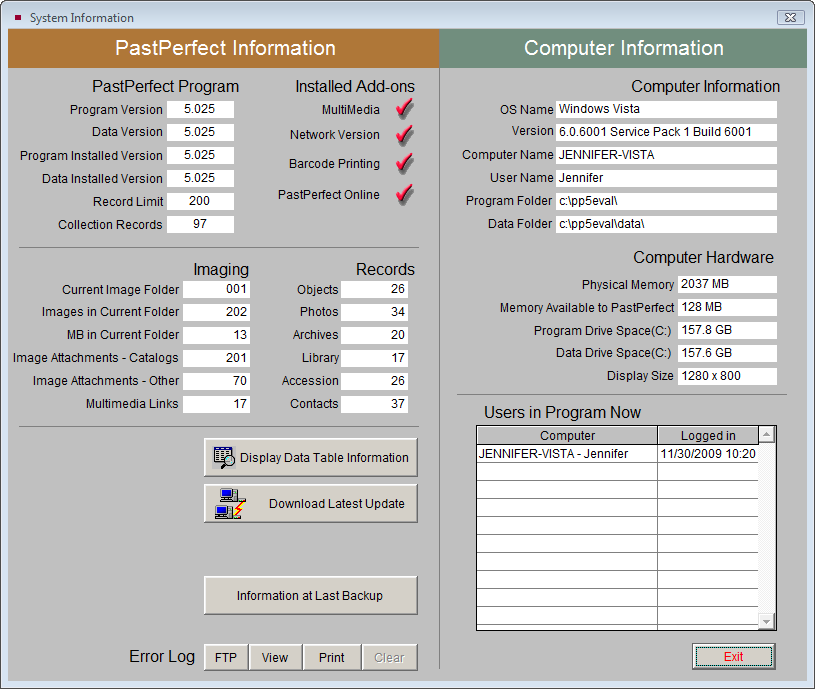
This section also lists counts of images and records in the major catalogs -Objects, Photos, Archives, Library, Accession and Contacts. You can select Display Data Table Information for more details about the total number of records and attached images for each PastPerfect table.
When you click the Download Latest Update button, you will be provided with a link to www.museumsoftware.com to download and run a free update. Periodically, updates will be posted at our website. If your computer can connect to the Internet, you can use this button to learn about the new features and download the update file. Be sure to exit the program before running the update.
The Information at Last Backup screen contains computer information, access to the error log made at the last backup, as well as a log of all backups.
At the bottom of the PastPerfect Information section, you will see access points to the Error Log. This log contains detailed information about any errors that occur in the program on this computer. To help resolve problems, PastPerfect support technicians may ask you to send them a printout of this log or click FTP to copy the file, so that they may view it electronically.
On the right side of the System Information screen you will see Computer Information about your local workstation as well as Users in Program Now, which lists computers that are currently accessing the PastPerfect database on the network.