Multilevel Linking
For many historical societies and small museums, the item and folder level with container list are enough to catalog most archival materials. However, for large collections of corporate documents or a collection of personal papers, you may want to use the multilevel linking capability built into PastPerfect. This allows you to link collection records together in a hierarchical system from the general to the specific. Separate records can be entered for each level of description: fonds/collection, series, subseries, folder, or item.
A fonds/collection is defined by the ICA as the whole of the documents, regardless of form or medium, organically created and/or accumulated and used by a person, family, or corporate body in the course of the creator's activities and function.
A series is defined as documents arranged in accordance with a filing system or maintained as a unit because they result from the same accumulation or filing process. For example, in a collection of corporate documents, the minutes of board of directors meetings arranged in folders by year could be considered a series. A series may be divided into subseries based on filing arrangement or content.
Let's catalog a parent record for the Hanley Family Collection personal papers. The parent record encompasses the whole collection, briefly describing all the items contained in the fonds.
Archive parent record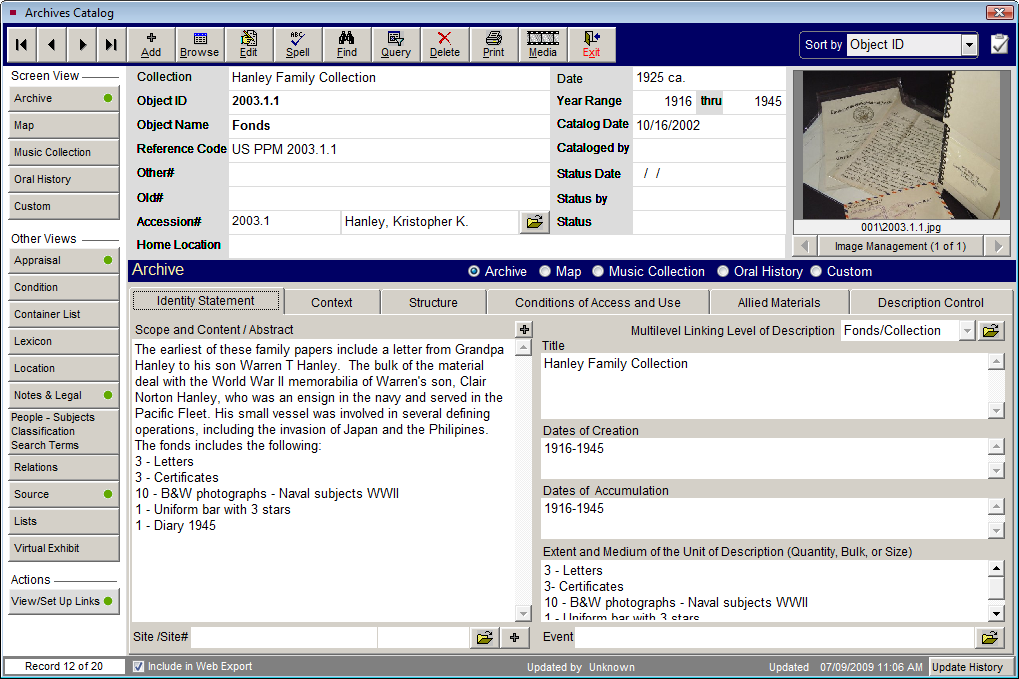
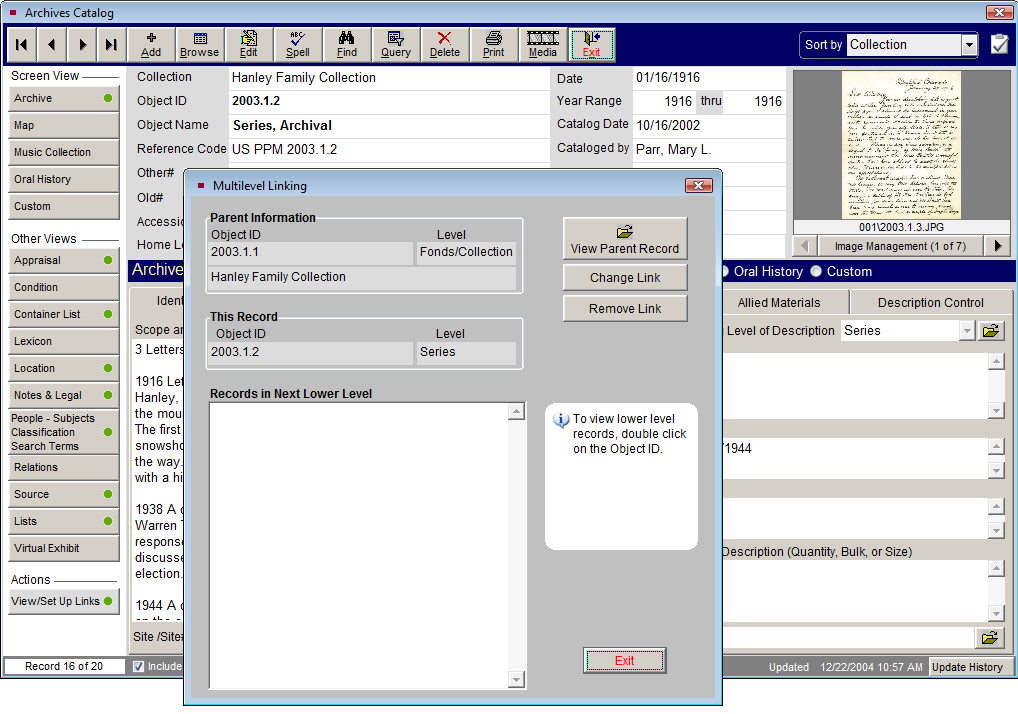
Next, enter the Series level records that you wish to link to the parent record. Once the record for the series has been created, you can link it to the parent record by clicking the View/Set Up Links button under Actions on the Series record screen. Or you can go to the Identity Statement tab for this record and click on the file folder icon to the right of the Multilevel Linking Level of Description field. Both buttons will bring you to the MultiLevel Linking screen. Click Create Link, enter the fonds/collection Object ID as the parent Object ID, and click the Create Link button again. You may enter any number of series records and link them to the same parent record. Please note that you will need to save the record and be out of Edit Mode to set up the links.
Series Level record with Multilevel Linking screen
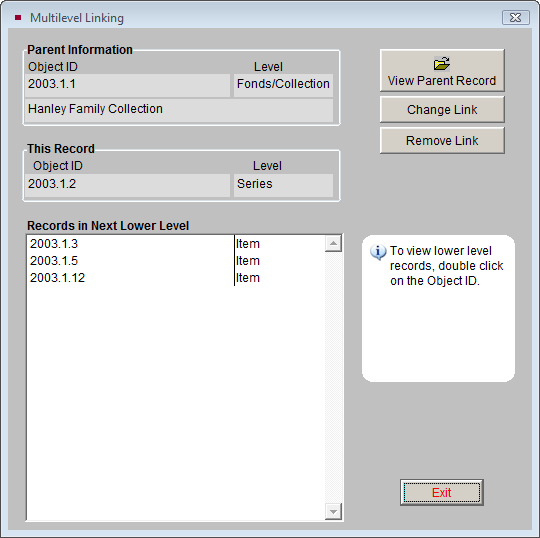
The next step is to enter separate records for each subseries, folder or item that you wish to link to the series. These records can then be linked to the series using the View/Set Up Links button and entering the series Object ID as the parent.
Multilevel Linking screen with several levels
PastPerfect does not require you to provide all levels of data. In some cases, you may need to enter a record only for the fonds and records for the associated items, linking the items directly to the fonds, without a series. You can also enter a single record for the fonds without series or items, or you can enter items without an associated fonds or series.
Multilevel Linking allows you to create hierarchical document cataloging, in compliance with ICA standards and using the rules of description as documented in the ISAD(G) manual.
Remember, when cataloging with multilevel linking, you do not have to repeat information in lower levels that you have already entered in the higher level. You will save time in cataloging by starting with the fonds/collection level and working your way down through series, subseries, folders, and items.