The Map Screen View
The Map screen allows you to catalog maps in your collection. This view contains specialized fields required for these items. The field names and field descriptions are derived from the Guide for a Small Map Collection, by Barbara E. Farrell and Aileen Desbarats.
Archives Catalog screen
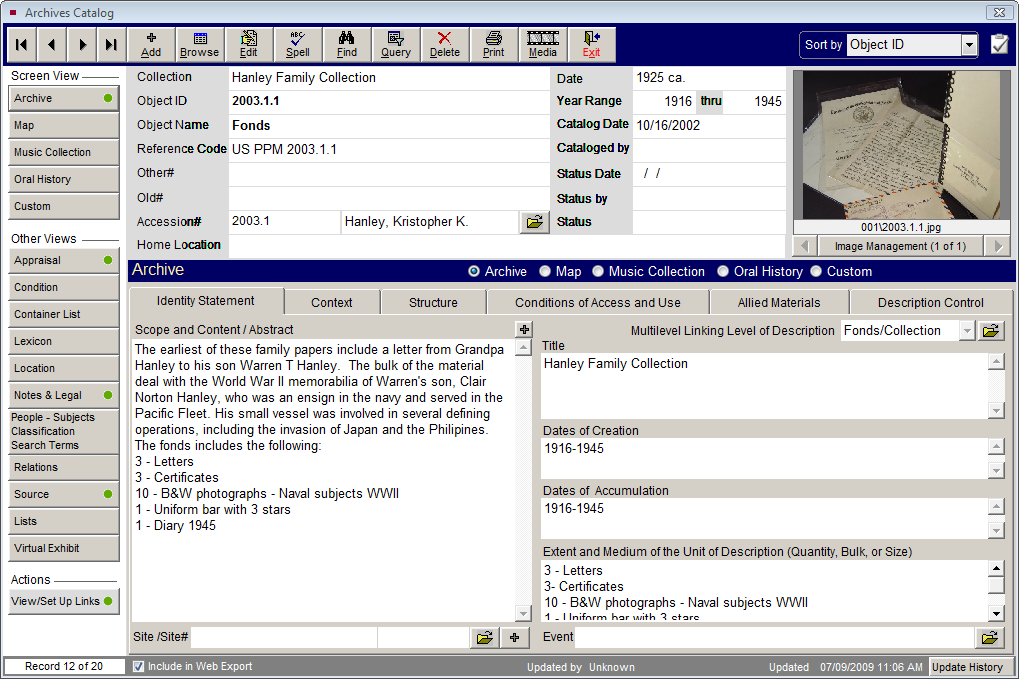
Please include a description of the map in the Scope and Content field at the left of the Map screen. If the map has unusual characteristics, such as a round or irregular shape, please note them in this field. The following are explanations of fields specific to maps.
Area/Region - Use this field to enter the name of the area or region covered by the map being cataloged.
Projection - Enter the type of projection used in the map being cataloged. It is impossible to transfer information from a sphere to a flat surface without distortion. On maps that include enough of the earth's surface for the curvature to be significant, the properties of distance, angular measurement, area, and shape must in some way be distorted. Projections have been devised to preserve a specific property or combination of properties. An example of a projection is the Mercator Projection.
Insets - An inset is a small map or illustration set within a larger map. For example, a map of the state of Maryland may have an inset of the city of Baltimore.
Publisher - The name of the entity that published the map.
Published Place - The location where the map was published. Include city, state and country.
Published Date - The year in which the map was published.
Language - The predominant language of the map.
Series - You may acquire multiple related maps or a map of one area that covers multiple sheets. Record the name of the map series.
Edition - The map may have been republished. Please record the edition that you are cataloging.
Size - Use this field to record the size of the map being cataloged. This is usually expressed as in this example: 24" x 36."
Number of Sheets - This field is used to record the number of sheets that comprise the map being cataloged.
Medium - This field is used to list all media from which a map is made. You may choose to record a single entry such as "Paper" or "Vellum." However, you have the option to choose several entries separated by forward slashes, as in "Paper/Watercolor." Record multiple entries in descending order of percentage of composition. This field is controlled by an authority file from which you may choose predefined media types.
Scale - Scale refers to the proportion used in determining the dimensional relationship between map distance and ground distance. For example, if one inch on the map represents 50,000 inches on the ground, the scale can be expressed as 1 to 50,000, or 1:50,000. This is called the representative fraction. Use the Scale field to record the scale of the map.
Longitude - Use the Longitude fields to record the angular distance on the earth's surface east or west from the Prime Meridian, expressed in degrees, minutes and seconds. East Longitude describes the eastern boundary of the map. West Longitude describes the western boundary of the map.
Latitude - Use the Latitude fields to record the angular distance north or south of the earth's equator measured in degrees along a meridian. North Latitude describes the northern boundary of the map. South Latitude describes the southern boundary of the map.
Prime Meridian - Prime Meridian is the zero meridian used as a reference line from which longitude east and west is measured. It passes through Greenwich, England. The Prime Meridian at Greenwich is accepted as such by international convention (1884). Many maps produced in non-English speaking nations may have numbering systems based on other meridians, such as the meridian of Ferro Island or the Paris meridian. Use the Prime Meridian field to record the Prime Meridian for the map being cataloged.