Email to a Friend Button

Concept

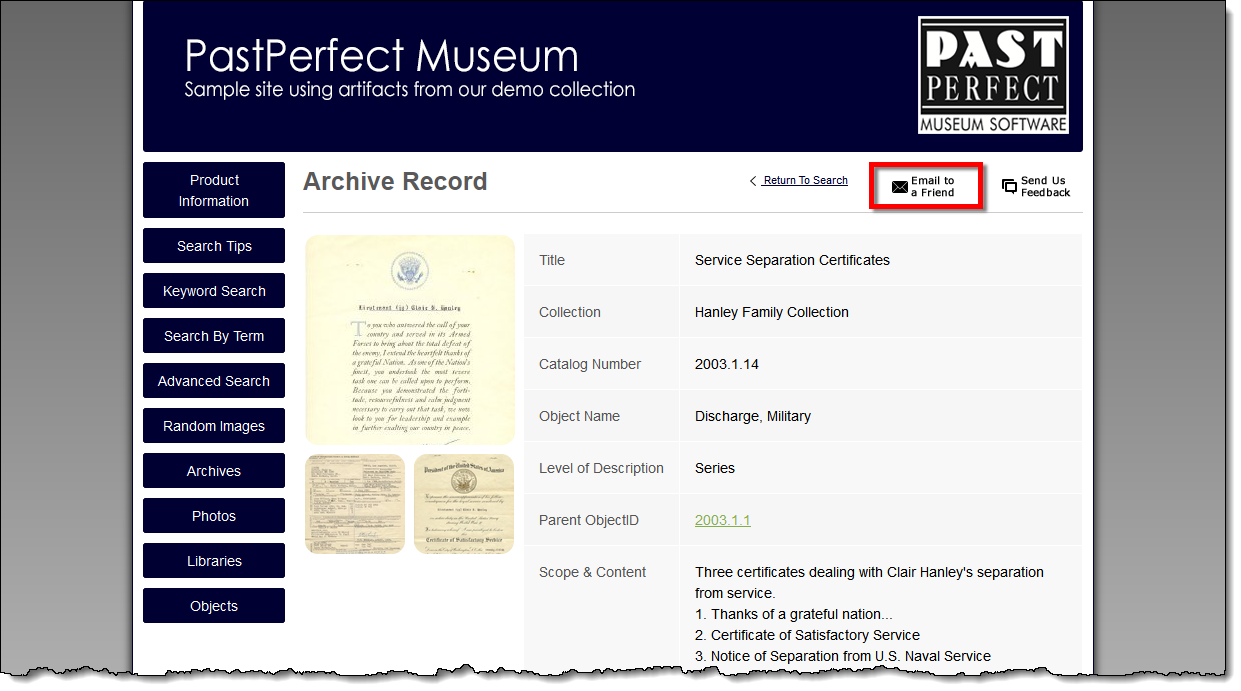
The Email to a Friend button allows online visitors to easily share a particular record with others. The visitor on your site can share the record along with a personalized message. This information is emailed so the recipient can view that specific record as well as explore the rest of your site. This is a great way of having users help promote your site.

The Email to a Friend button is displayed in the upper right corner of each record detail page. A checkbox setting in the Interface Management Site determines if this feature is available or hidden.

Task

  1. Locate an item you wish to share.
  2. Click the Email to a Friend button.

    Online Record Page with Email to a Friend button highlighted

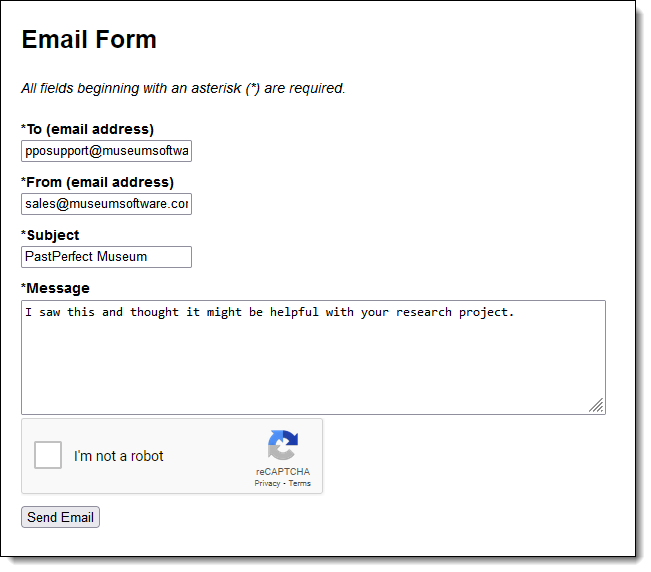
  3. A window will open displaying the Email Form. Fill out the form, making note that all fields are required.

    Email a Friend Form

  4. Click the Send Email button at the bottom of the form.
  5. A confirmation message will appear. Click the OK button to return to the record page.
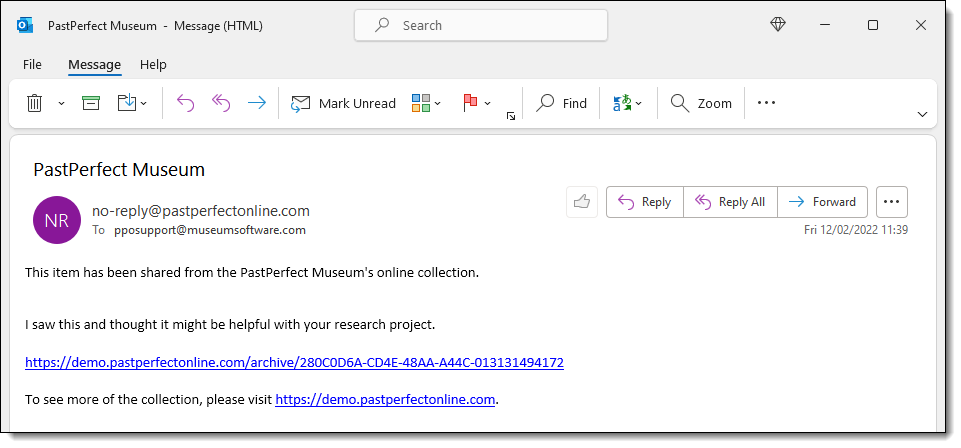
  6. The email recipient will receive an email like this:

    Received email from Email a Friend Form

References