Embedding Audio Files in Your PastPerfect Online Records
Concept
Embedded audio files on your site will bring your records to life in
a whole new way. Visitors can hear your music collection or oral history
projects without ever having to leave your site.
The first step to embedding audio files in a PastPerfect Online record
is to upload the file to a website for hosting. We will use SoundCloud as our example, but there are other
file hosting sites available. When considering a hosting service, be sure
it will fit your needs. Some of them are free while others may have fees.
The site may have restrictions on file sizes, limits on total amount of
storage space, or a policy that removes files if they are not accessed
during a specific period of time.
Task
- Upload your audio file to SoundCloud.
- Locate the HTML code for embedding the audio player.
- Copy the HTML from your SoundCloud Embed Screen.
- Choose a field in PastPerfect to store the code for your multimedia
links. Since these links can be quite long, we suggest using Custom
Field 21 or Custom Field 22. Information about setting up Custom Fields
can be found in the References section of this topic.
- Locate the PastPerfect record associated with this audio file.
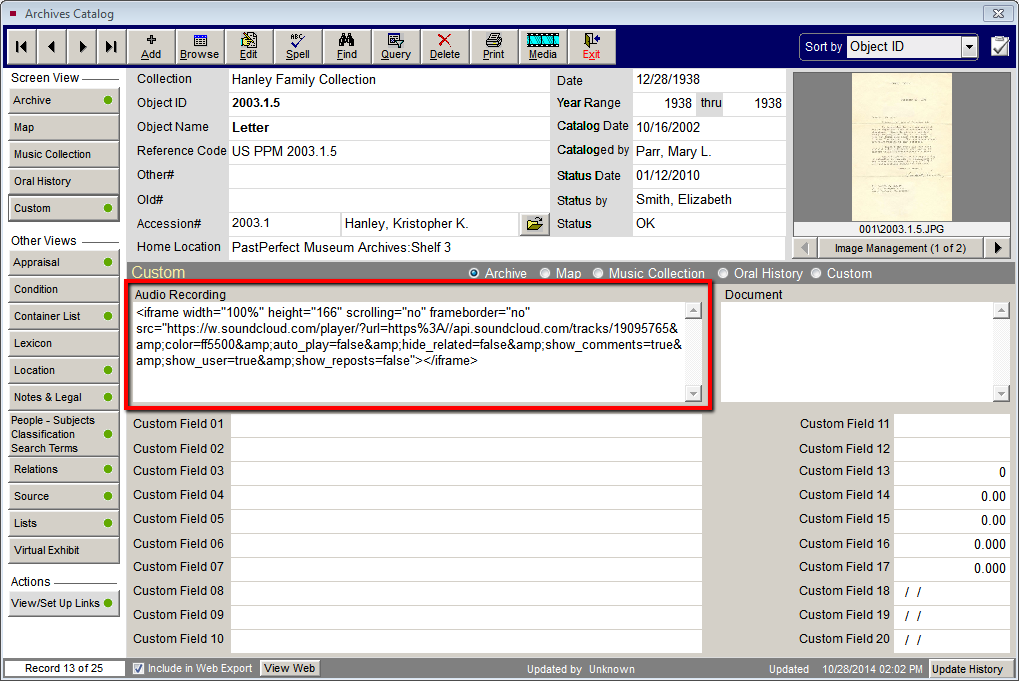
- In the Custom Field that you chose above, paste in the HTML you
copied from the SoundCloud page.
- The next time you go through the Web Publishing Wizard to create
and upload files, be sure that your Custom Field is selected as a
field to include online and renamed as you want it to appear on your
site.
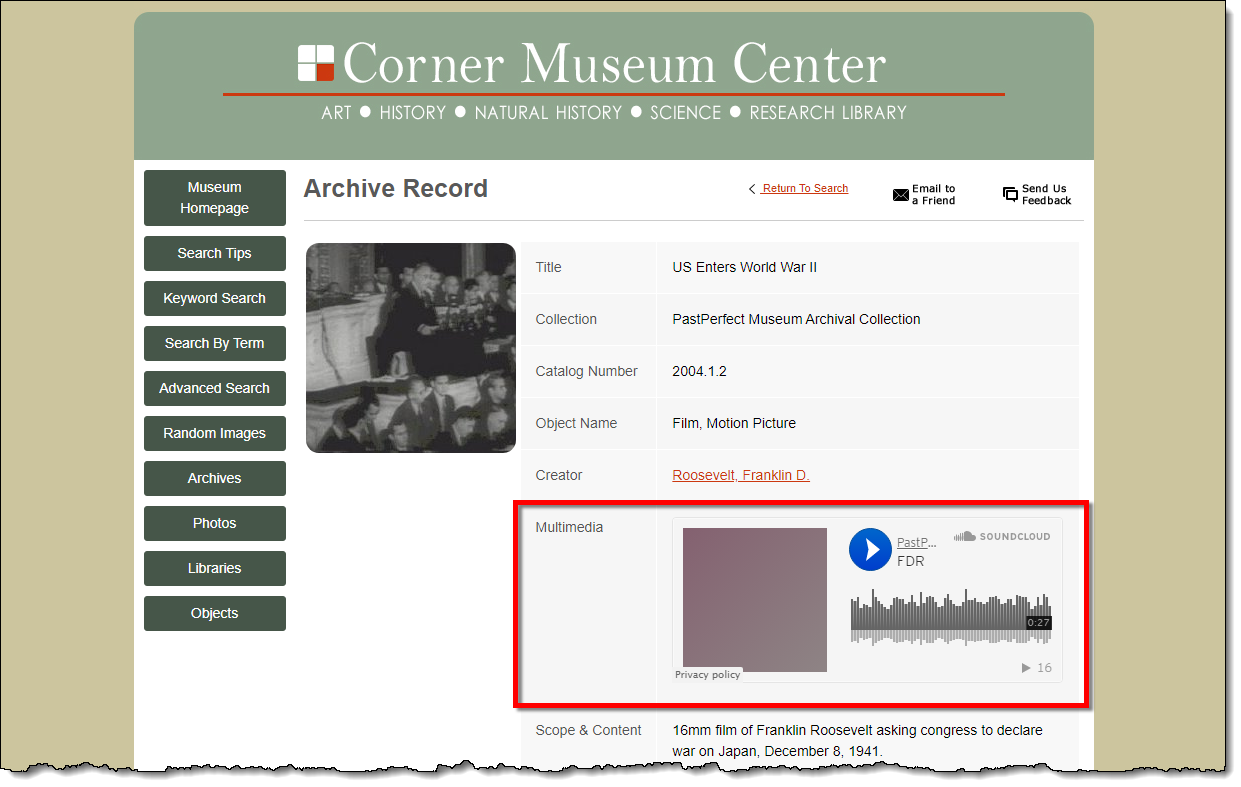
- Locate the record on your PastPerfect Online site to make sure
the audio player appears online and is functional.
References