Adding a New Catalog Record
There are a few ways to add new records in PastPerfect. Catalog records may be added records from a Query screen or from an existing record. Records may also be added from the Catalog Records accordion on an Accession or Incoming Loan record.
From Query Screen
1.Be sure the correct record type is selected in the Left Sidebar on the Query screen
2.Click the "New Record" button
3.Populate the required fields (marked with red asterisks)
•When adding a new catalog record, you will need to select an Object Name from the Lexicon (See Using the Lexicon)
4.Click "Add New Record"
5.Fill out any additional fields as needed
6.Click "Save" in the Edit Bar at the top of the screen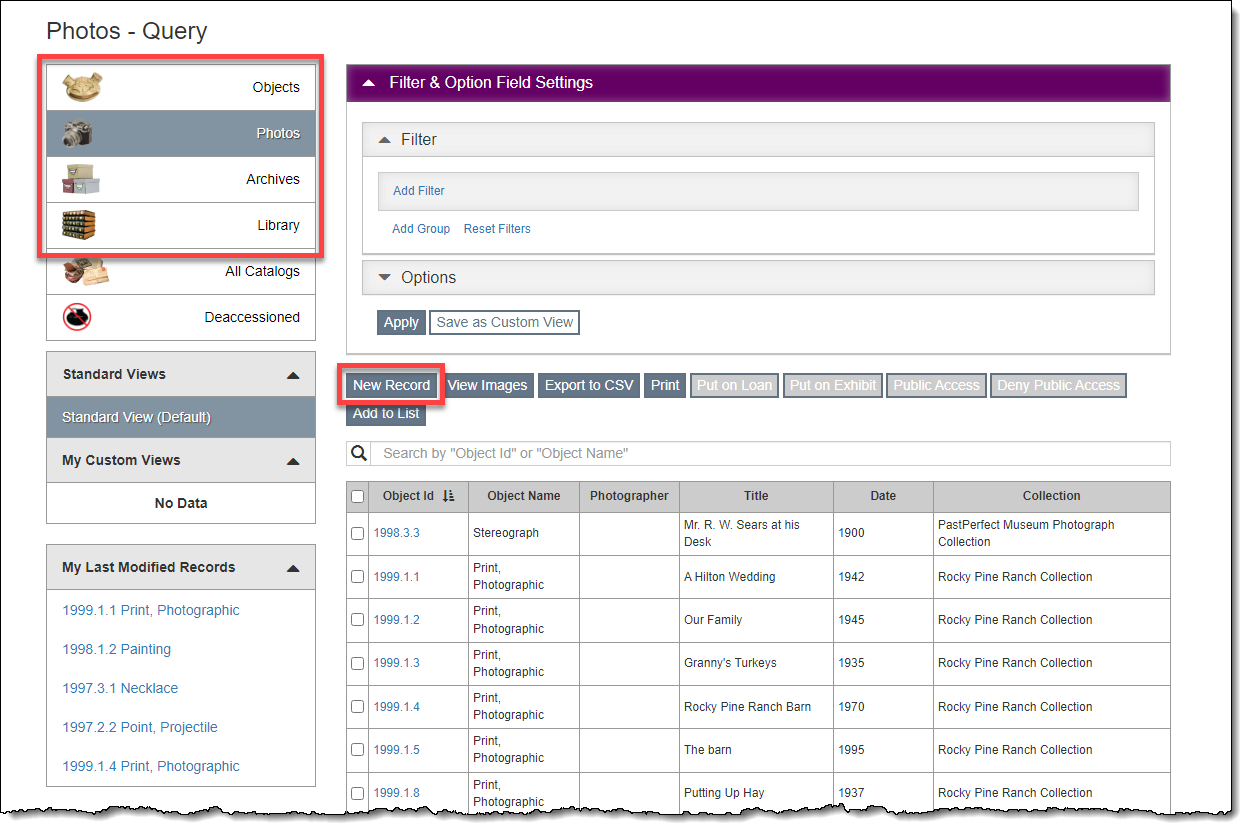
From Existing Record
1.Click "New Record" at the top of a record screen
2.Populate the required fields (marked with red asterisks)
•When adding a new catalog record, you will need to select an Object Name from the Lexicon (See Using the Lexicon)
3.Click "Add New Record"
4.Fill out any additional fields as needed
5.Click "Save" in the Edit Bar at the top of the screen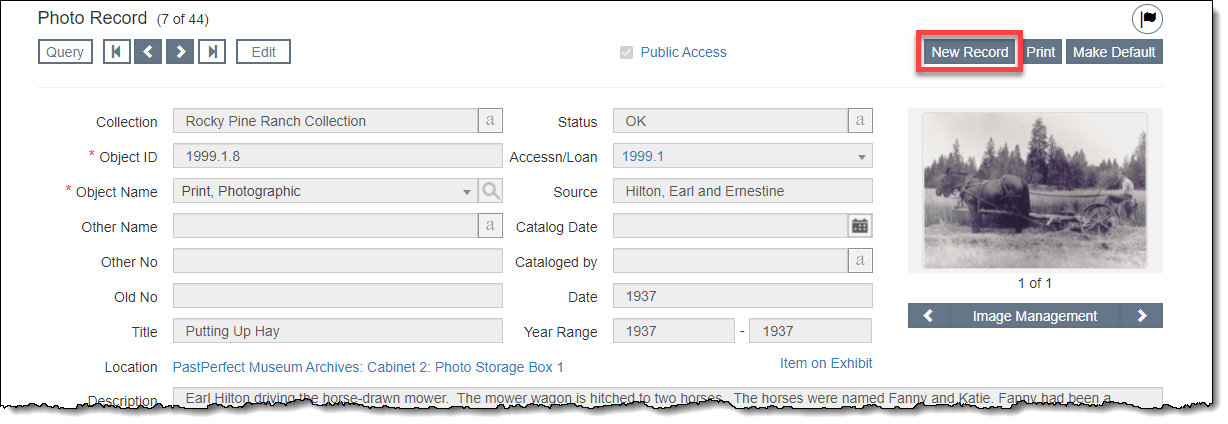
From Accession/Incoming Loan Record
1.Click "Edit" in the Edit Bar on the Accession/Incoming Loan record
2.Click Catalog Records Accordion bar to expand it
3.Click "Add New Catalog Record"
4.Populate the required fields: Object ID and Object Name
•You will need to select an Object Name from the Lexicon (See Using the Lexicon)
5.Click "Add New Record"
6.Click "Save" on the Accession/Incoming Loan record
7.You can then click the hyperlinked Object ID to view that record and add any additional information to the catalog record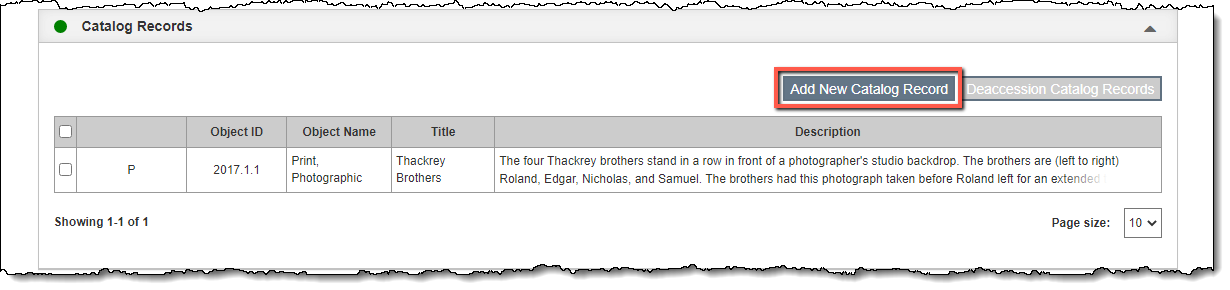
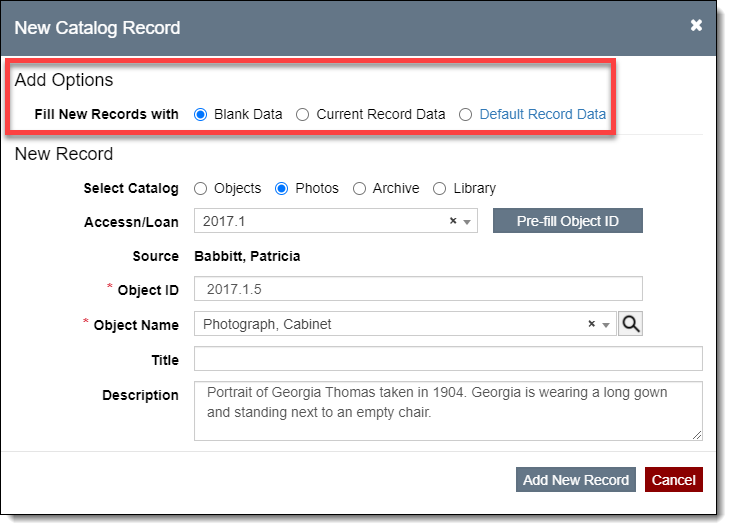
Catalog Record Add Options (Fill New Records with…)
When adding new catalog records, you may have several Add Options at the top of the New Catalog Record pop-up window. The options available to you depend on the screen from which you are adding the new record, the catalog you select, and whether a default record exists for that catalog.
•Blank Data – this option is always available. It will create a new blank record and the only populated fields are the ones you filled in on the New Catalog Record pop-up window.
•Current Record Data – this option is available when you add from an existing record. It will create a new record and copy all of the information from the last viewed catalog record (the one you see behind the New Catalog Record pop-up window) into the new record.
•Default Record Data – this option is available when a default record exists for the catalog you are adding a new record to. (Each catalog can have its own default record.) It will pre-populate only the fields filled in on the default record. See Using Default Records for more information.