Using Browse by Term
Concept
Visitors to your site who select Browse by Term will have a quick way
to look through your catalog records without having to know exactly
what terms are in your collection. Each category in Browse by Term can
be expanded to display an alphabetical listing of associated items. Browse
by Term may be especially helpful for visitors doing genealogical research.
Browse by Term is optional and must be activated before it will display
on your site.
Task
- Click the Browse by Term
button on your PastPerfect Online site.
- Under the desired category, click a letter to browse through the
terms starting with that letter.
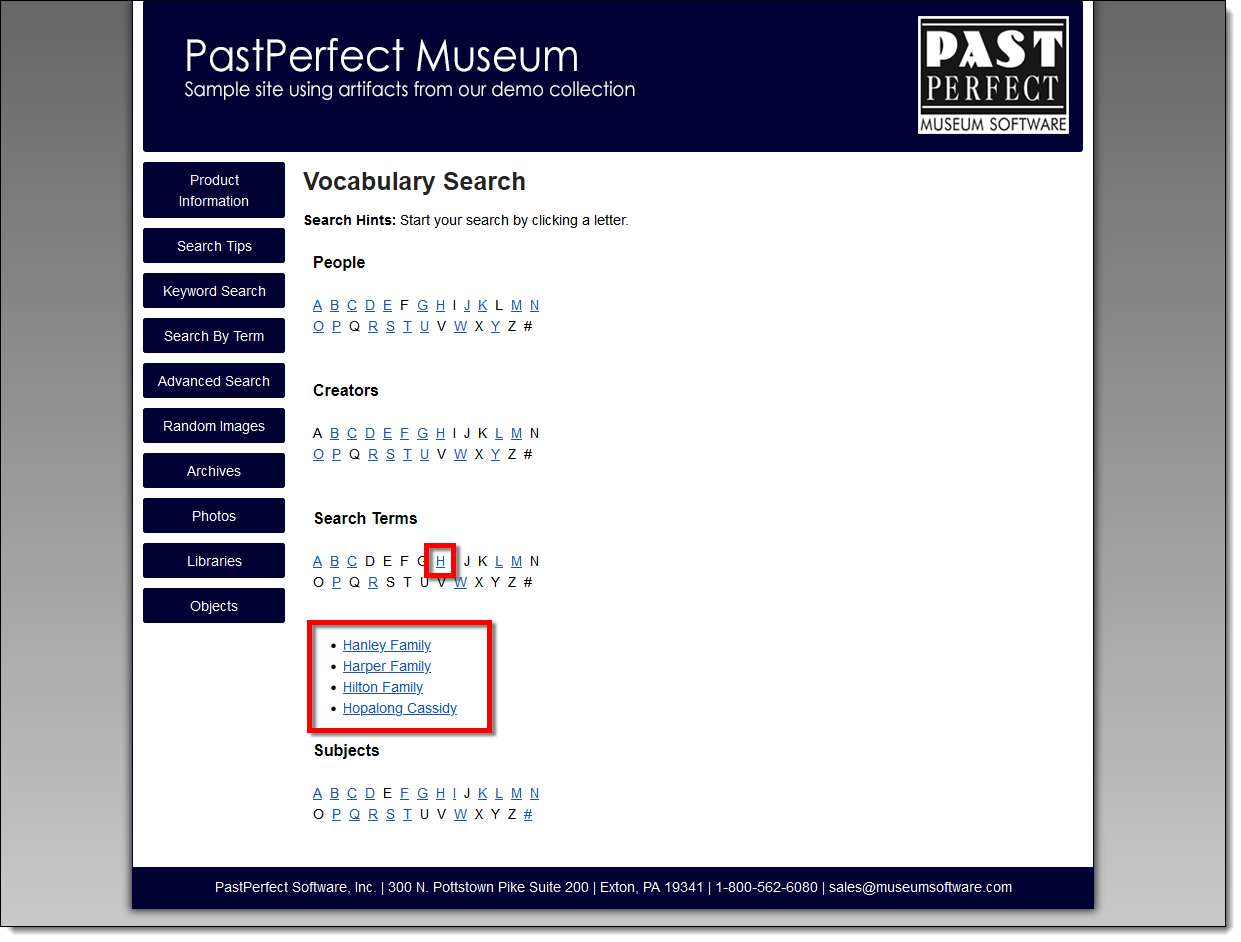
- Click on the name or term to perform the search.
- A list of associated items will appear on the right side of the
screen below the term that was searched. If searching within People
or Creators, a link to the People or Creator record will appear above
the results if it has been shared online.
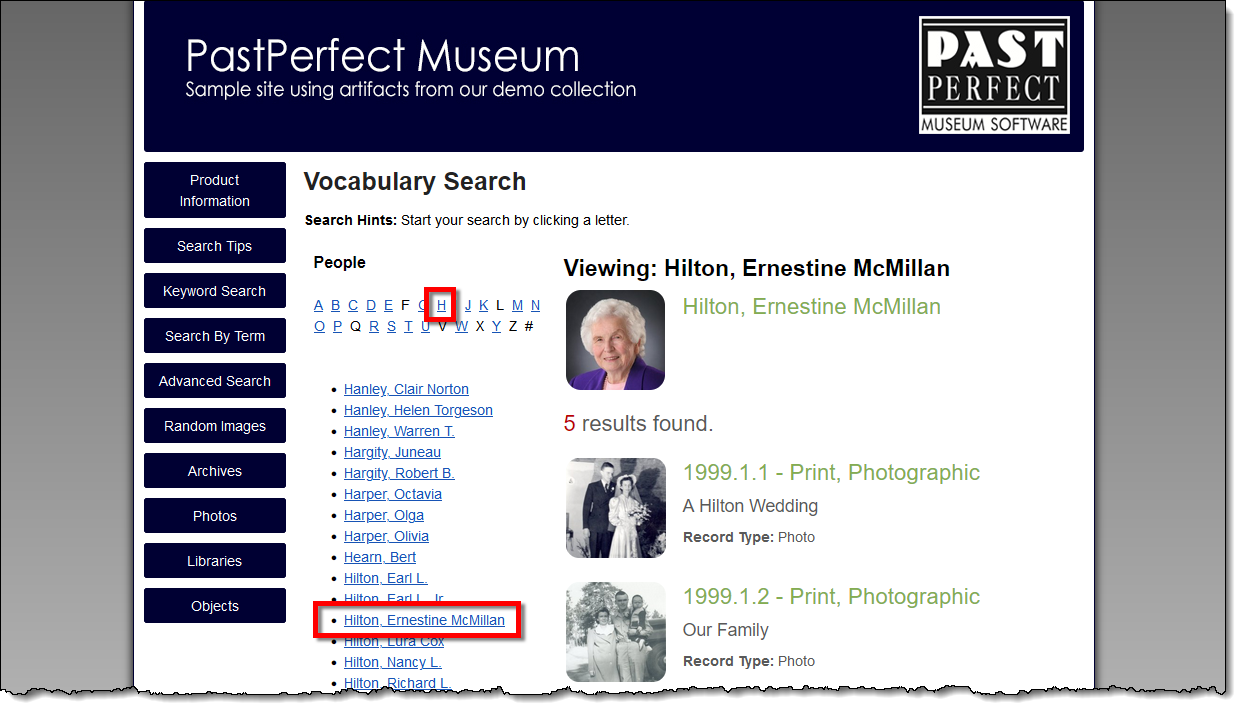
- Click on a result to view the full record.
- Use the back button on your browser to return to the search results.
References