Interface Management Site - Browse by Term Tab
Concept
Browse by Term allows your visitors to research using an alphabetical
listing of names or terms for the following fields: People, Creator, Search
Terms, and Subjects. Browse by Term is optional and must be activated
before it will display on your site.
Task
- Sign in to admin.pastperfectonline.com.
- Select the Site tab.
- Check the box for
Include Browse by Term.
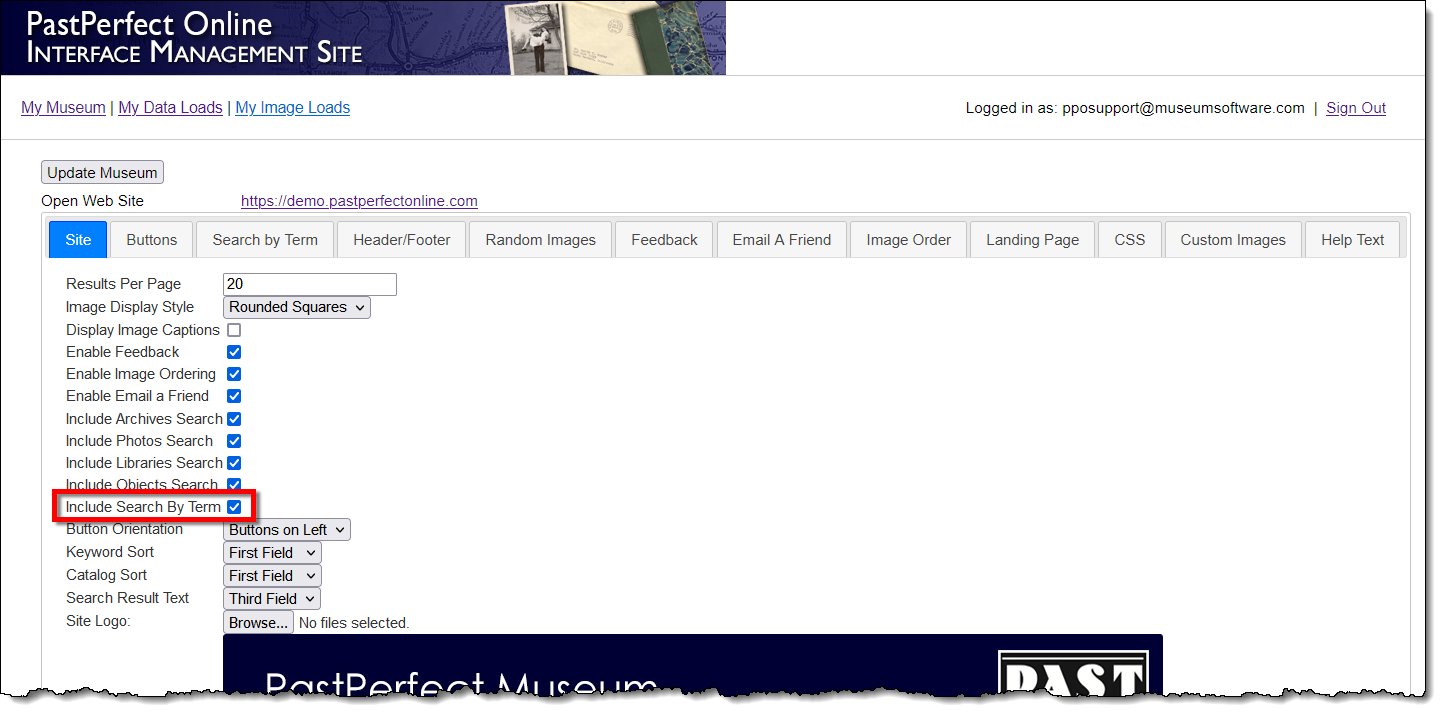
- Click the Browse by Term
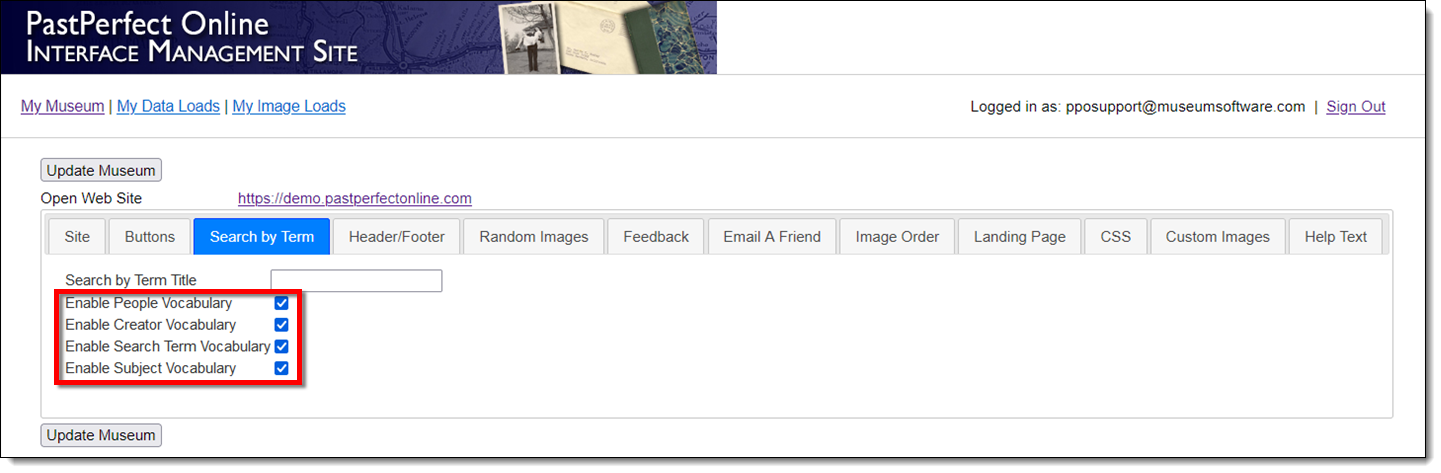
tab.
- Check the boxes for the categories you wish to display on your
site.
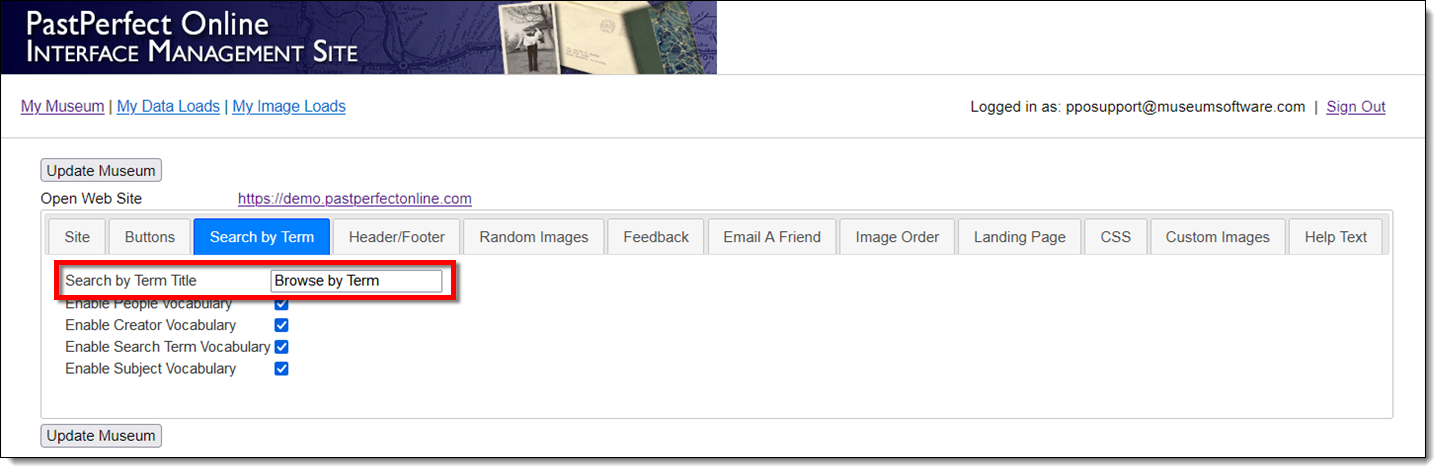
- Change the title of your Browse by Term page by typing text into
the Browse By Term Title field.
The default text of "Browse by Term" will display if this
field is empty.
- Once you have made your changes, click the Update
Museum button at the top or bottom of your page to save the
changes.
- Upload data to your site as you normally would; there is no need
to create data at this time, unless you have new data to put online.
- Click the Open Web Site
link at the top of your page to view your changes.
References