
Adding Catalog Records to an Exhibit
Adding catalog records to an exhibit can be done in multiple ways: from the catalog record screen, from the exhibit screen, from the Catalog Query screen, and from Catalog Lists. Each catalog record can only be a part of one current exhibit at a time.
Add Catalog Record to Exhibit from Catalog Screen
1.Locate the catalog record you wish to add to the exhibit
2.Click "Edit" in the Edit Bar at the top of the catalog record
3.Click the Location Accordion bar to expand it
4.Click "Put on Exhibit"
5.Click on the exhibit to which you want to add this record
6.Click "Yes" to confirm
7.Click "Save" in the Edit Bar at the top of the catalog record
Catalog records on an exhibit will display an "Item on Exhibit" hyperlink in the top section of the catalog screen. Clicking the hyperlink will take you to the Exhibit record.
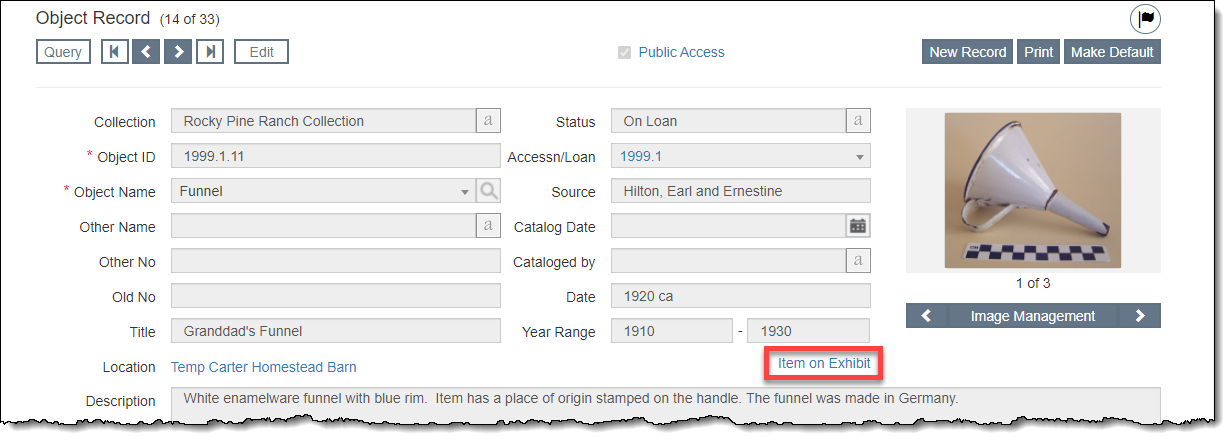
Add Catalog Record to Exhibit from Exhibit Screen
1.Click "Edit" in the Edit Bar on the Exhibit record
2.Click the Catalog Records on this Exhibit Accordion bar to expand it
3.Click "Add Catalog Records"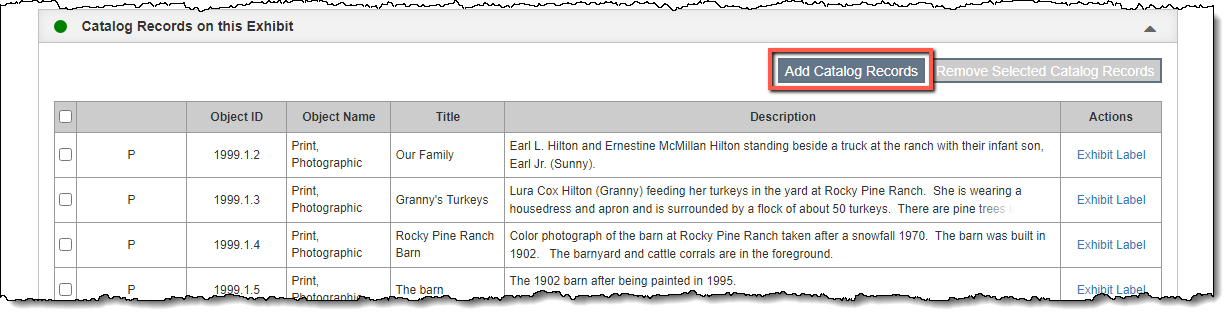
4.Browse or search to locate the record(s) you want to add:
•Browse using the page buttons at the bottom of the pop-up window. Records can be sorted by clicking on a column header. Using the check boxes to the left, select the record(s) and click "Add All Checked Records."
•Use the Search box to search for the record(s) by Object Name or Object ID. Once the filtered list is showing only the desired record(s), click "Add All Records Selected by Filter."
•Only records that are not on another current exhibit will be available to select.
5.Click "Save" in the Edit Bar at the top of the screen. The catalog record(s) will now appear under the Catalog Records on this Exhibit Accordion.
Add Catalog Record to Exhibit from a Query Screen
1.Filter or Search for the catalog record(s) you want to add to the exhibit
2.Select the record(s) using the check boxes in the Browse Grid
3.Click "Put on Exhibit"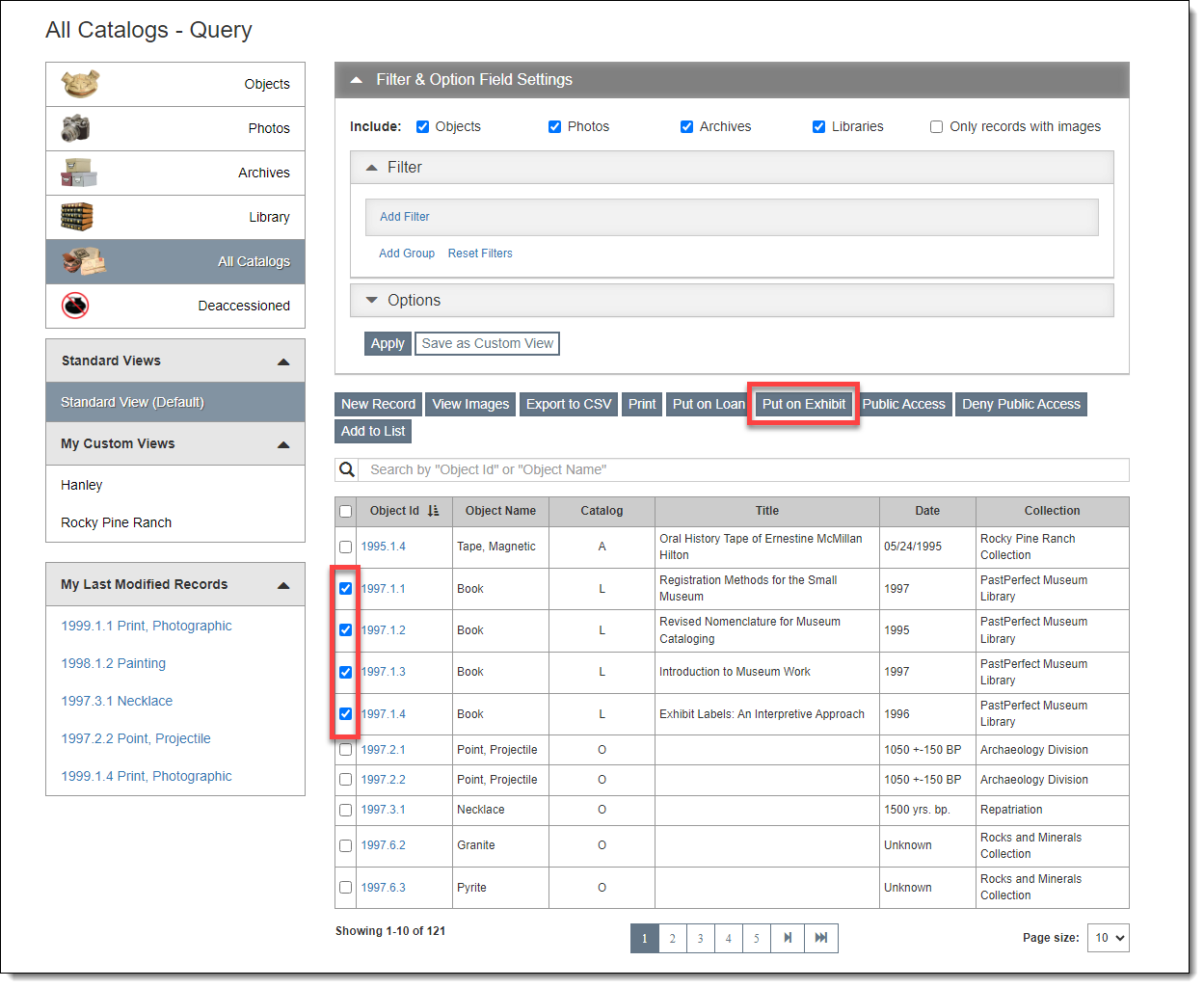
4.Click on the exhibit to which you want to add these records
5.Click "Yes" to confirm
•Any selected catalog records that are already on a current exhibit will not be added to the selected exhibit.
Add Catalog Record to Exhibit from Catalog List
1.Click the list name containing the records you want to add to the exhibit
2.Click "Edit" in the Edit Bar at the top of the Individual List screen
3.Click "Put on Exhibit"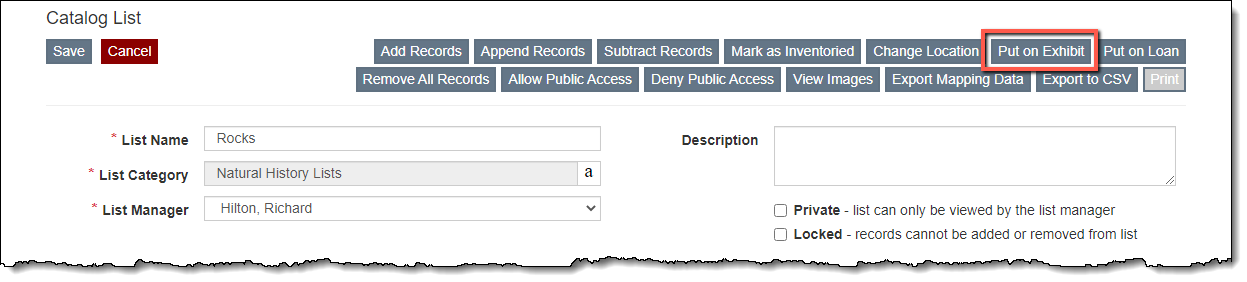
4.Click on the exhibit to which you want to add these records
5.Click "Yes" to confirm
6.Click "Save" in the Edit Bar at the top of the Individual List screen
•Any catalog records on the list that are already on a current exhibit will not be added to the selected exhibit.