
Adding a New Contact Record
There are two ways to add a contact record: from the Contacts Query screen or from an existing contact record.
For adding other development-related records, see the individual topics: Donations, In-Kind Gifts, Dues Payments, Pledges, Volunteer Information, and Campaigns.
From Contacts Query Screen
1.Click the "New Record" button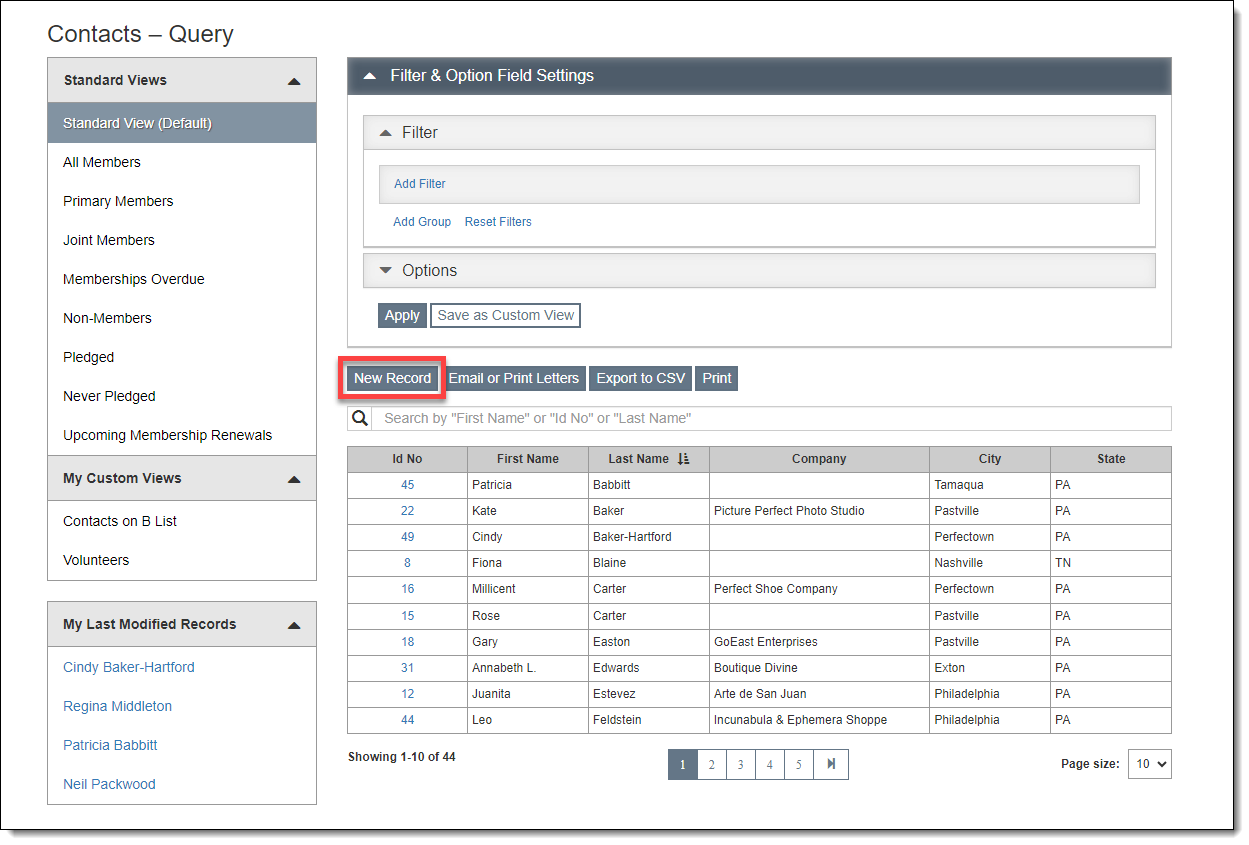
2.Populate the required fields (marked with red asterisks)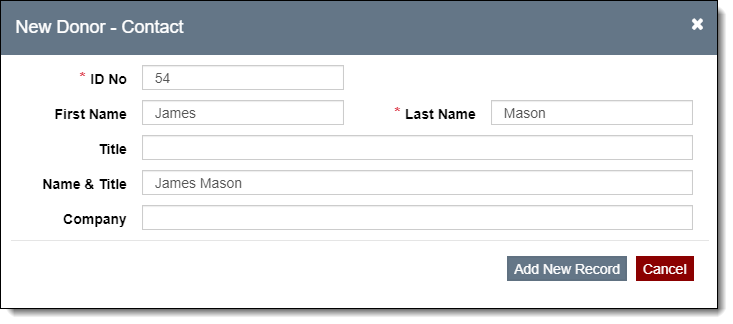
3.Click "Add New Record"
4.Fill out any additional fields as needed
5.Click "Save" in the Edit Bar at the top of the screen
From Contact Record Screen
1.Click the "New Record" button
2.Populate the required fields (marked with red asterisks)
3.Click "Add New Record"
4.Fill out any additional fields as needed
5.Click "Save" in the Edit Bar at the top of the screen