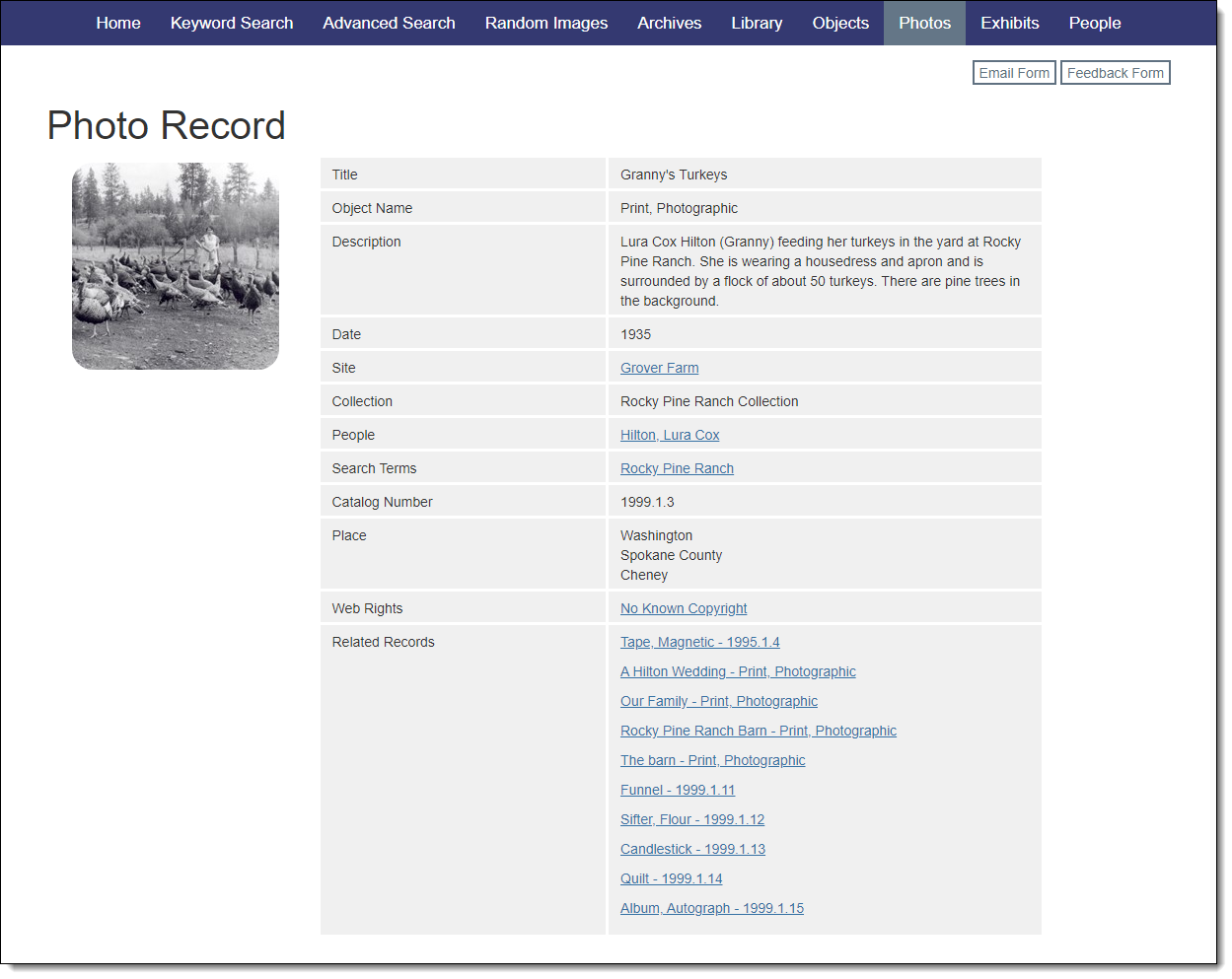
Exploring a Catalog Record
There are two main parts to the catalog records: The images section displays thumbnails from the catalog record. The data section is presented as a table to the right of the images with data fields pulled from your internal database. Additionally, at the top right, a series of buttons allows users to communicate with each other and the organization using email forms, if enabled. These email forms are customizable through Public Site Settings.
When viewing a catalog record, visitors have various options for interacting with your collection:
•Email to a Friend: Clicking this hyperlink allows visitors to easily email a direct link for a catalog record to a friend.
•Send us Feedback: If a visitor has information about the record they are viewing, they can contact your organization using this button.
•Creator (Artist/Photographer): Click on a name to see more information about the creator and all of their associated records.
•People: Click on a name to see more information about the person and all of their associated records.
•Search Terms: Click on a search term to see more information and the records associated with this term.
•Site Name: Click on a site name to see more information about the site and the records associated with this site.
•Related Records: Click the link to see a list of the catalog records related to this item.
•Containers (Archives only): Click on a link to view the associated container list record.
•Parent Object ID/Child Records: Click on an Object ID to view the parent record or the child records of this item.
•Attachments: Click on a link to view an attached file associated with the record.
•URLs: Click on a link to open a website associated with the record.