Exploring a Public Access Record
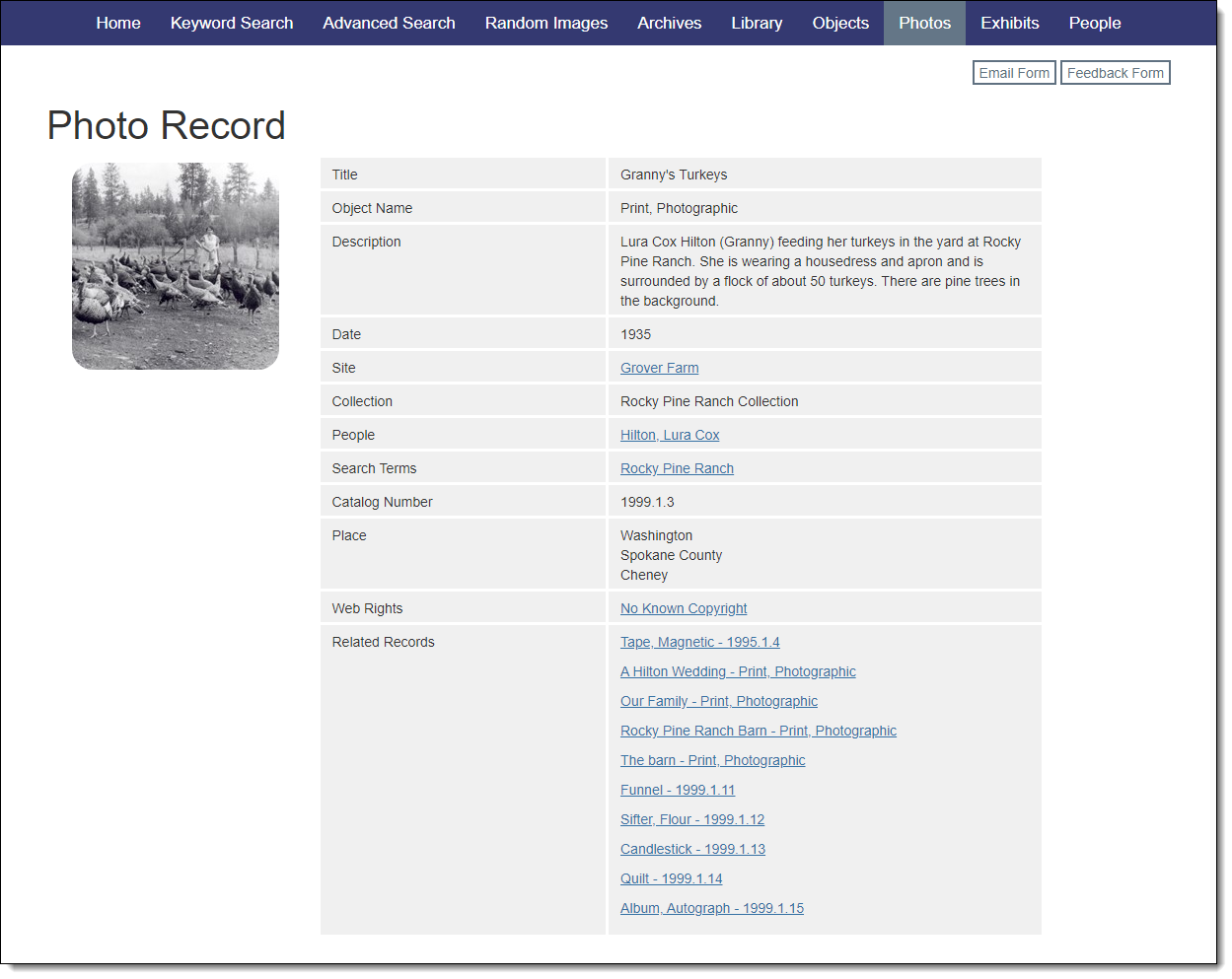
Public Access records have a consistent appearance across all record types, making it easy for visitors to explore your collection.
At the top of a Public Access record is the record type and navigation buttons, if the record has been accessed from search results or from the Associated Catalog Records section on an Exhibit, Site, Person, or Search Term record. Clicking the "Return to search" button will return to the search results or the record. The next and prior buttons allow for navigation between all the records in the search results or associated with an Exhibit, Site, Person, or Search Term. On the top right are buttons to access the Email a Friend and Send us Feedback forms, if enabled on your site.
Below the record type and buttons will be the record information. On the left will be the image section, displaying thumbnail images for any image you have chosen to share. Images can be included on all record types except Search Term records. Clicking on a thumbnail will open the Image Viewer to see the full image. From the Image Viewer, visitors can navigate between the images on the record, view image metadata, or use the Image Request form, if enabled.
To the right of the thumbnails is the record data. This data is pulled from your database and only displays the fields you have selected to share. Certain fields will create links to other records, if those records have also been shared:
•Creator: Click on a name to view the Person record for that creator and all of their associated records.
•People: Click on a name to view the Person record and all of their associated records.
•Search Terms: Click on a search term to view the Search Term record and the records associated with this term.
•Site Name: Click on a site name to view the Site record and the records associated with this site.
•Related Records: Click the link to see a list of the catalog records related to this item.
•Containers (Archives only): Click on a link to view the associated container list record.
•Parent Object ID/Child Records (Catalog records): Click on an Object ID to view the parent record or the child records of this item.
•Attachments: Click on a link to view an attached file associated with the record.
•URLs: Click on a link to open a website associated with the record.