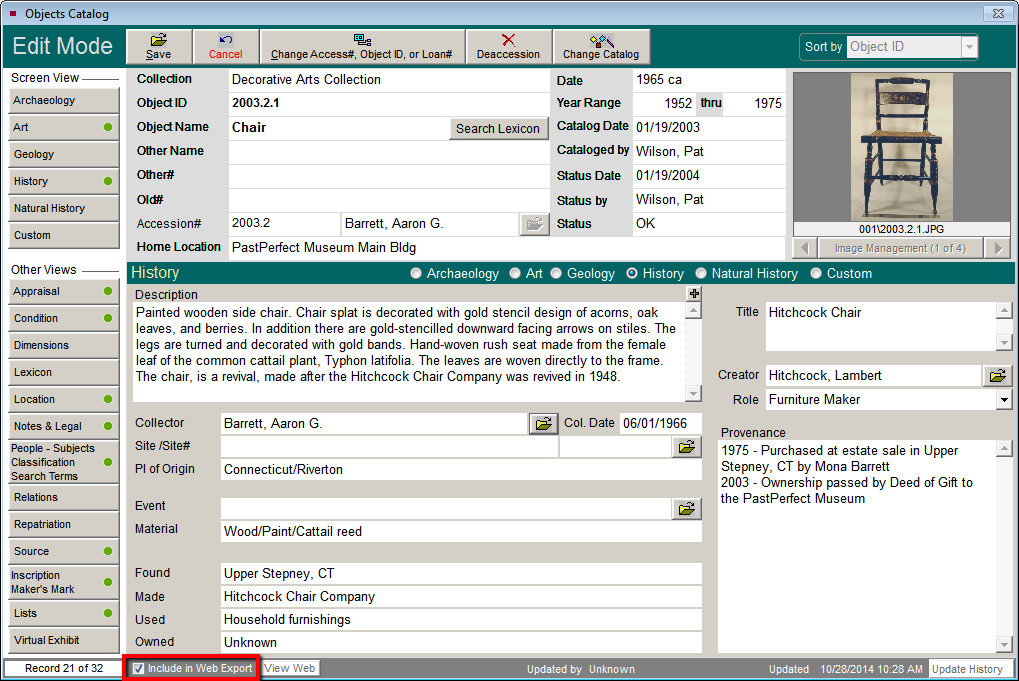
Only records marked "Include in Web Export" will be displayed on your PastPerfect Online site. At the bottom of each Object, Photo, Archive, or Library record is an Include in Web Export check box. Checking this box selects the catalog record for web publishing. When selecting a catalog record, all attached images are also selected for web publishing. You can deselect images individually as described in a later topic.
Note: Additional record types (creators, people, search terms, and sites) do not need to be selected individually. You can quickly select all additional record types in the Web Publishing Wizard. Please see the More Record Types section of this User Guide for additional information.