Selecting Catalog Records from Query Results

Concept

By using PastPerfect's Research functions, you can identify the catalog records you want to select for web publishing. Once you have your query results, it is a quick process to mark the group of records for export.  This process changes the "Include in Web Export" status on all of the query results without having to edit each record individually.

Running a query in All 4 Catalogs for "Object ID Is not empty" will return all records in your collection.  If you want your PastPerfect Online site to display all of your collections items you should run this query before each upload, marking all results as "Include on Web."

Task

These steps show how to select a group of records when researching all four catalogs. Records can also be selected by running a query within the individual catalogs and from the other search functions

  1. Click the All 4 Catalogs button in the Research section of the Main Menu.
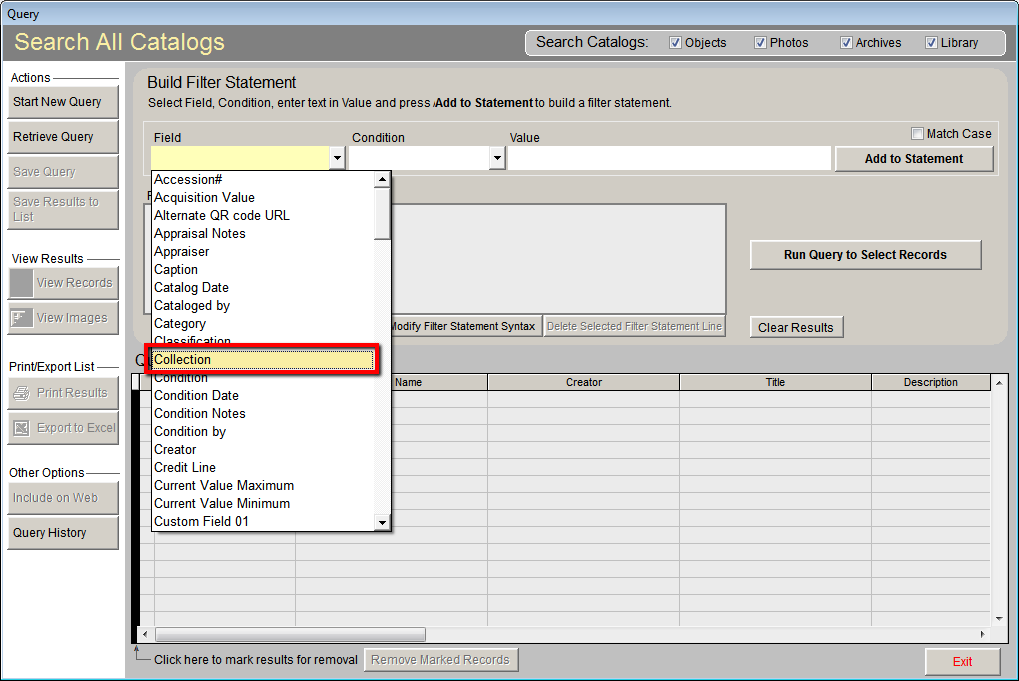
  2. From the Field drop-down menu, select the field you want to search.

    Field Drop-Down Menu

  3. Choose the condition from the Condition drop-down menu.
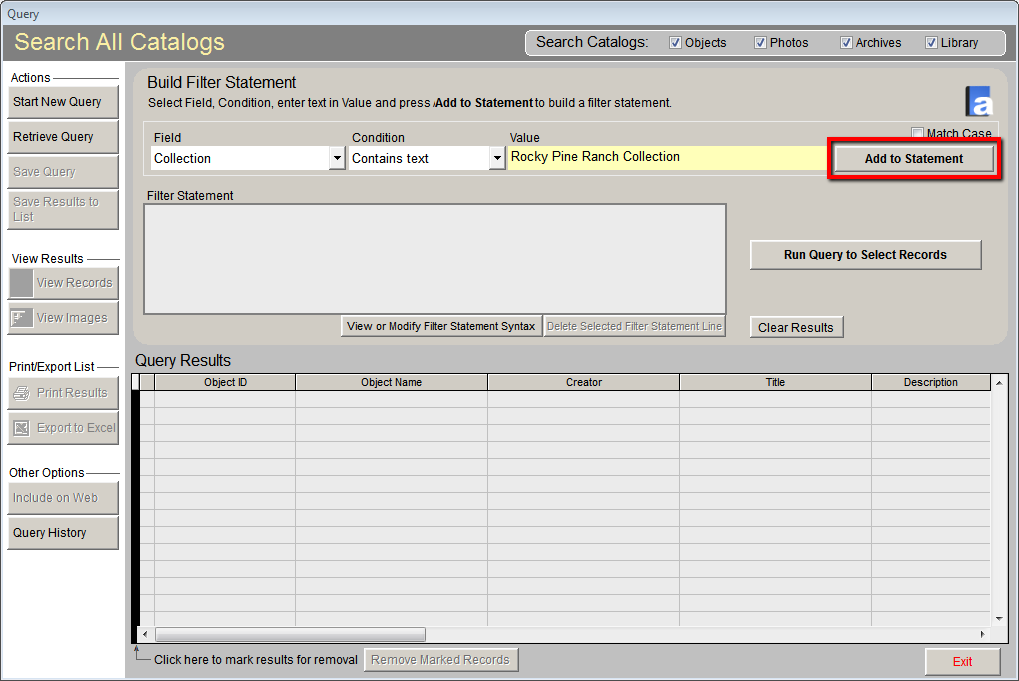
  4. In the Value field, type what you want to search for within this field.
  5. Click the Add to Statement button.

    Add to Statement

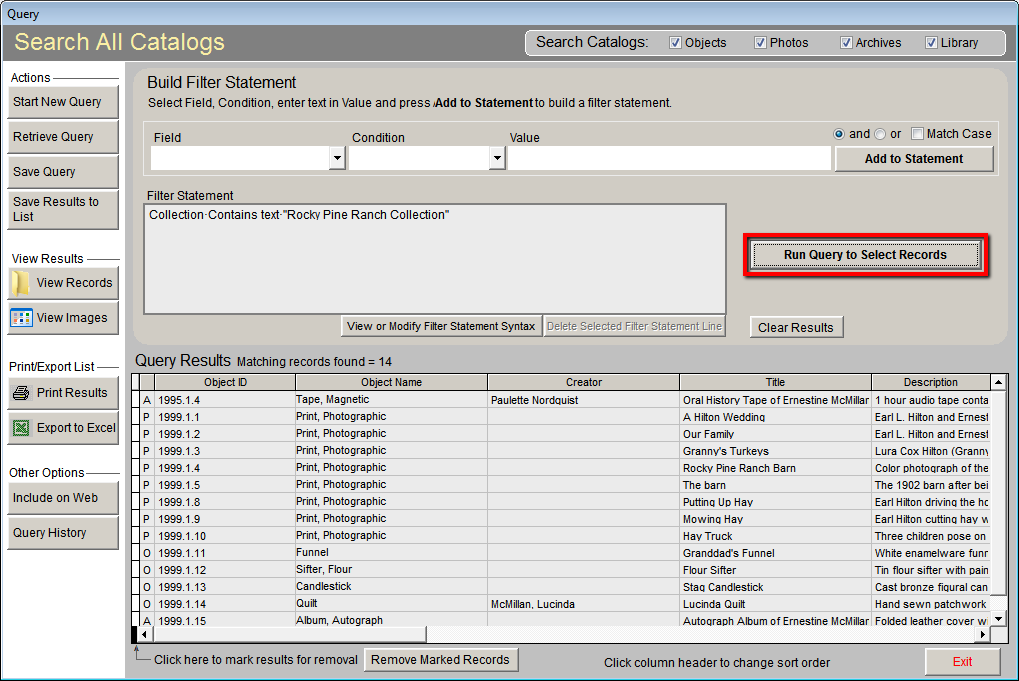
  6. Click the Run Query to Select Records button. The records matching your search will display in Query Results.

    Run Query

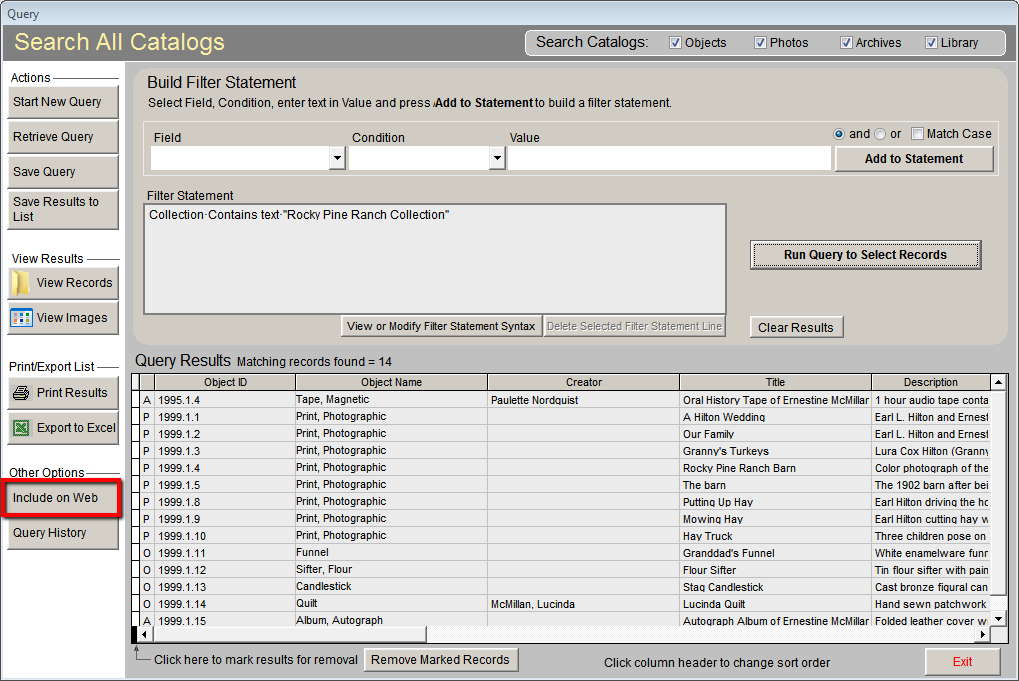
  7. Click the Include on Web button. This will check the "Include in Web Export" check box on each of these catalog records. This also marks all of the images attached to these records for export.

    Include on Web

  8. Click Yes on the PastPerfect Message to confirm the selection of these records. Click OK on the next PastPerfect Message that appears.

Reference