Changing Catalogs
During the course of cataloging items, a cataloger may accidentally catalog an item in the wrong catalog. Rather than deleting the record and re-entering it in the proper catalog, you can use the Change Catalog feature.
Please note: Because each catalog contains different fields, some data may not transfer to the new catalog. Information stored within a field that does not exist in the new catalog will not be moved. We recommend printing a copy of your original record with all accordions expanded before using the Change Catalog function. (See Printing Records)
1.Locate the record that needs to be changed
2.Click "Edit" in the Edit Bar at the top of the record
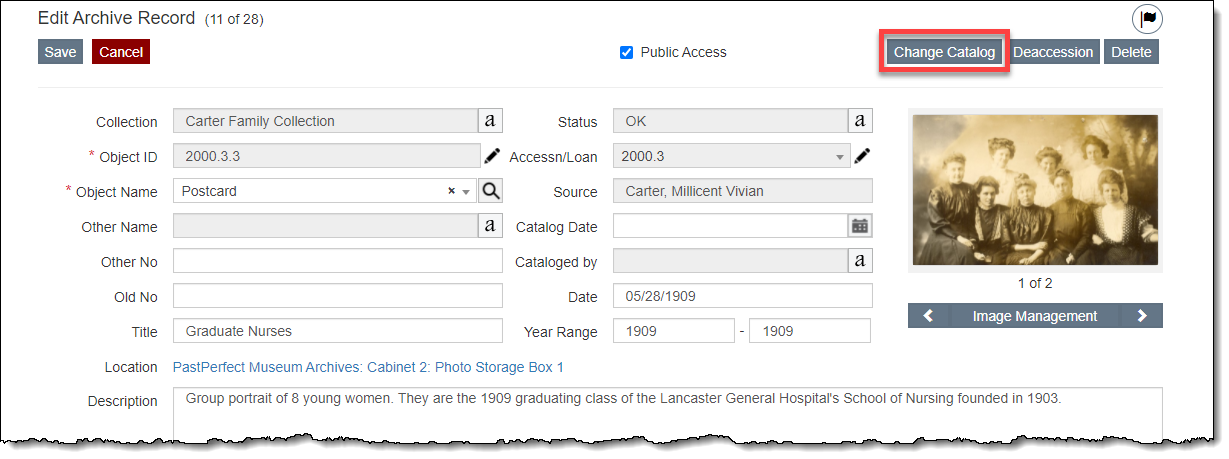
3.Click "Change Catalog"
4.Select the correct catalog
5.Click "Change." You will then be viewing the same record in the new catalog.
6.Compare the record in the new catalog to the printed copy of your original record and enter in any data not transferred