Page Element Diagrams

Concept

Cascading Style Sheets (CSS) assist in formatting the elements on a site. When working on your site's CSS, it may be helpful to see a visual representation of the main elements of a page. These diagrams highlight different sections of the pages, but it is not a full breakdown of all elements. You may need to combine different elements to apply customizations to specific areas.

These examples show a site with left navigation. The .navMenu elements listed here apply to both left navigation and top navigation.
Search Page

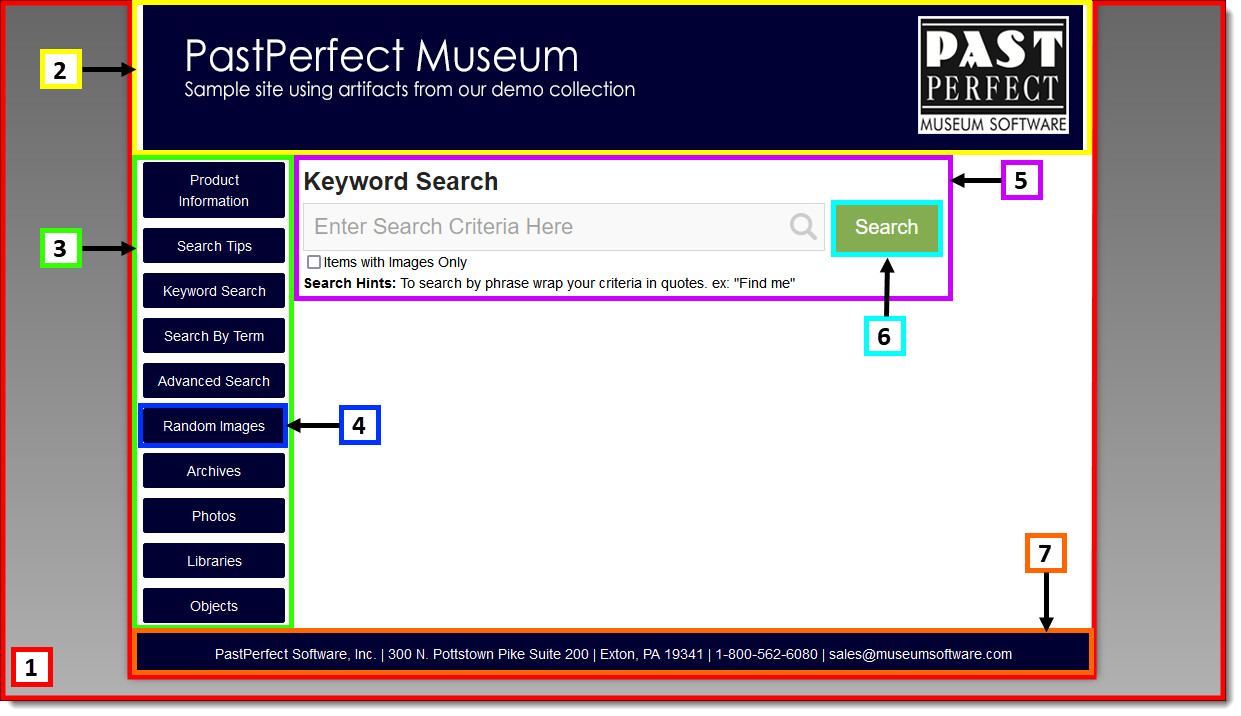
Search Page with elements highlighted and numbered
  1. body
  2. .header
  3. .navMenu
  4. .navMenu a
  5. .topSearchArea
  6. .button-primary
  7. footer

Search Results Page

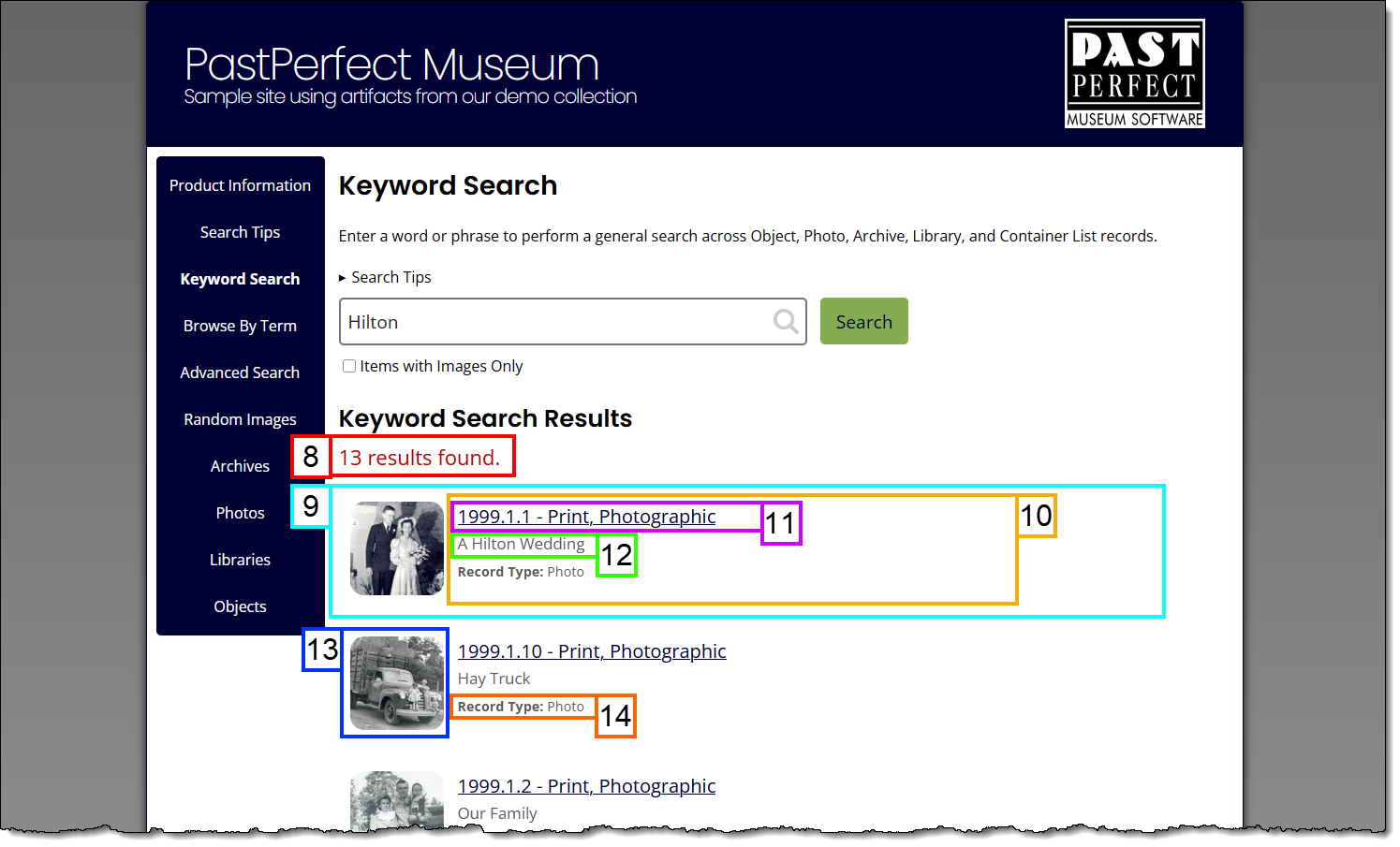
Search Results Page with elements highlighted and numbered
  1. .searchresultTitle
  2. #searchresultsdisplay .card
  3. .indvResultDetails
  4. .indvResultDetails a
  5. .indvResultDetails p
  6. .indvImage
  7. .indvResultDetails p.recordType

Record Page

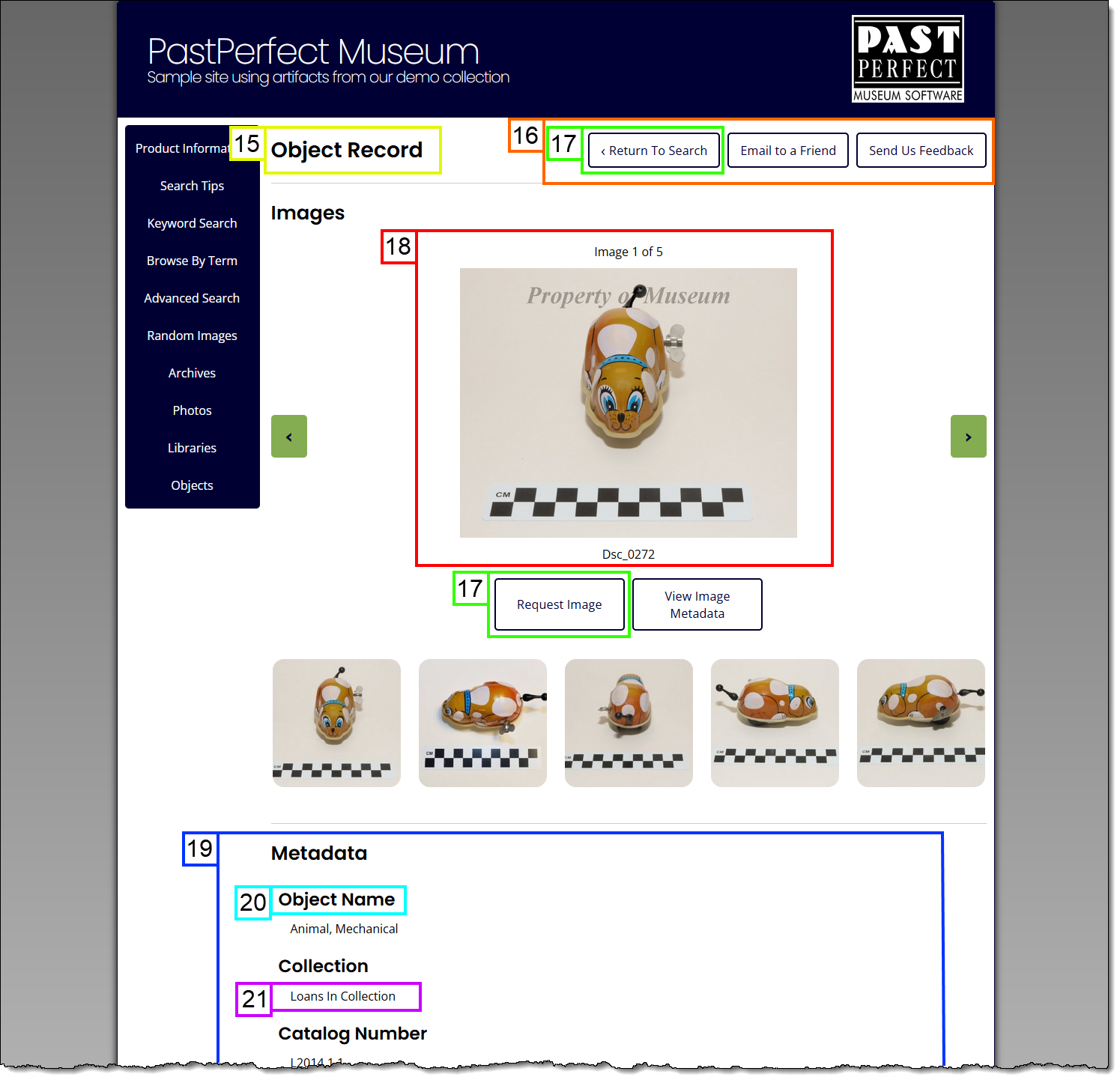
Record Page with elements highlighted and numbered
  1. .rectype h1
  2. .icons
  3. .button-outline
  4. #image-info
  5. .recordData
  6. .category
  7. .display

References